14
6. Sound mode:
Press MODE button. When on the display it will appear “SU.XX”, press UP / DOWN buttons to set the
sound level from 0 to 31.
7. Modalità slave:
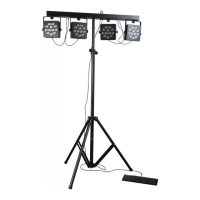
Press MODE button until on the display it will appear “SLAU”. This mode is useful to link more bars (slave
to the first bar (master), controlled by foot switch or DMX controller (max 32 bars).
8. DMX mode:
Press MODE button. When on the display it will appear
“d.XXX” it is possible to set the DMX channel,
When it will appear “d-P.X” it is possible to set DMX mode (mode 1 o mode 2).
DMX CONTROL CHANNELS
DMX mode 1
CH 1 CH 2 CH 3 CH 4 CH 5 CH 6
000 – 009
dimmer
000 – 255
dimmer
Red
(4 panels)
Green
(4 panels)
Blue
(4 panels)
010 – 029
program 1
030 – 049
program 2
050 – 069
program 3
070 – 089
program 4
090 – 109
program 5
110 – 129
program 6
130 – 149
program 7
150 – 169
program 8
170 – 189
program 9
190 – 209
program 10
210 – 219
program 11
230 – 249
auto mode
000 - 255
Speed:
from min to
max
Strobe
000 – 010 OFF
011 – 255 ON
250 – 255
sound mode
Sound level
from 0 to 31


 To Next Page