6. Replace the drain plugs and clip them back onto Opal. See figures 6 and 7 for reference.
7. Add five cups of fresh water to the water reservoir, and press the ‘Clean’ button to initiate a second cleaning
cycle. To exit the cleaning cycle at any time, press and hold the ‘Clean’ button for 3 seconds.
8. Repeat steps 4 through 8 two more times, adding fresh water to the reservoir each time (You may continue to
repeat the rinse cycle, for as many times as you like).
NOTE: It is recommended to clean/sanitize your Opal ice maker per instructions in the Owner’s Manual, starting
on page 7.
Making Ice
1. Fill the water reservoir to the upper fill line and replace the bin. Touch the Power button and Opal will start the
ice making process. The ‘Making Ice’ indicator on the left will light up as ice starts to be made. You will see ice
beginning to drop into the ice bin after about 20 minutes.
2. Opal will make about one pound of ice per hour. When the ice bin is full, the ‘Making Ice’ light will no longer be
illuminated. If Opal needs more water, the indicator on the left will illuminate ‘Add Water.’
Making Ice Add Water Defrosting Cleaning
Side Tank Accessory
Side Tank Quick Start
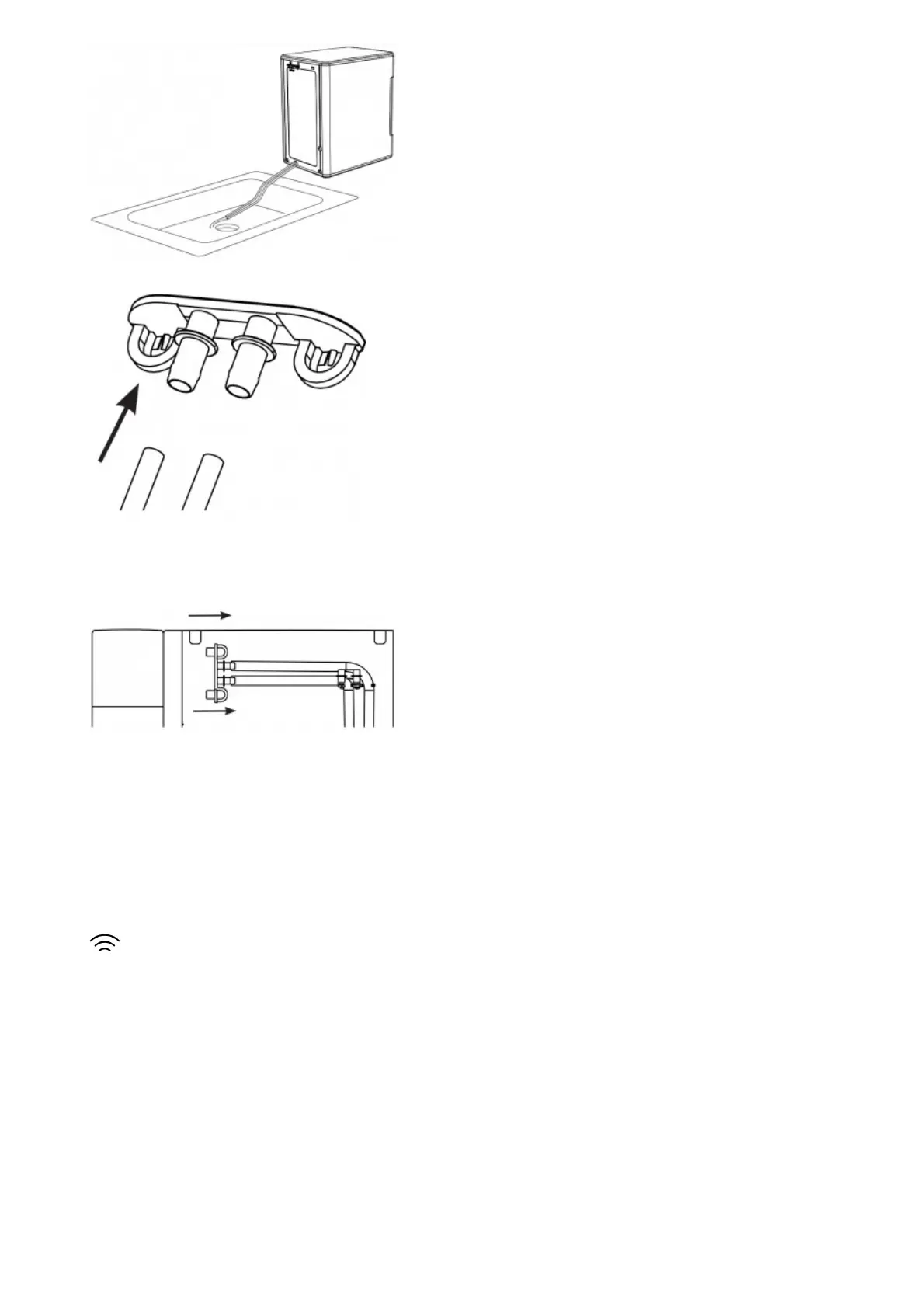
NOTE: There are two drain tubes located on the back of your Opal Nugget Ice Maker indicated as drain tube A and B
in the illustration on page 12.
1. Hand Wash Only: Rinse and hand wash Opal Side Tank with warm water and a mild dish soap. Remove Opal
Side Tank’s cap and wash the cap and rubber valve with water and a mild dish soap. The Side Tank base can
be washed by disconnecting the hose and adding a small amount of soapy water to it. Scrub as needed and
rinse thoroughly. The rinse water should drain out the port in the back.
Rinse the cap, rubber valve, tank and the base well to remove any residual soap (see illustration).
DO NOT WASH THE SIDE TANK IN THE DISHWASHER.



 To Next Page
 Loading...