3. EXTERNAL UNIT SOUND SETTINGS
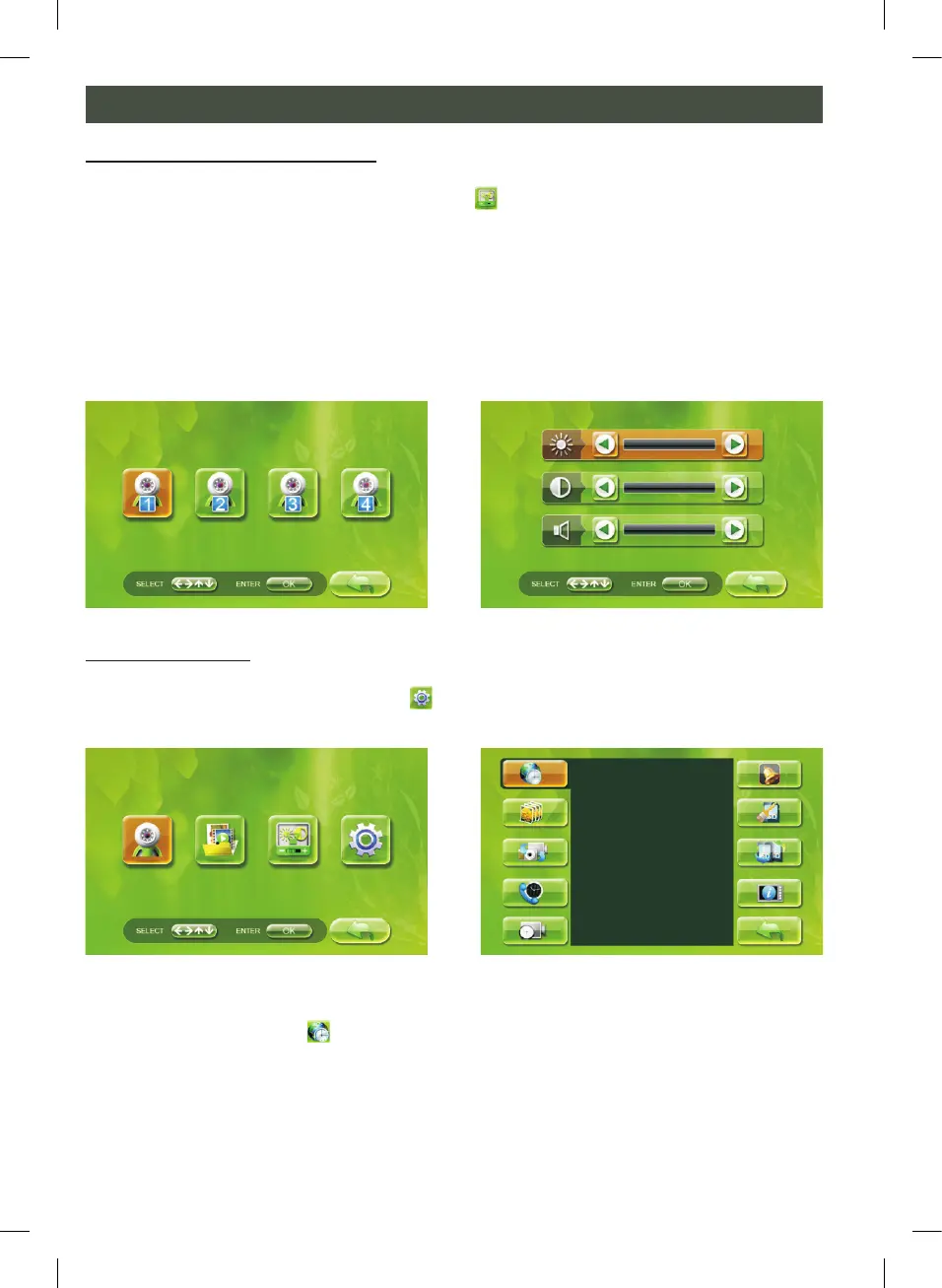
To change the external unit volume, select the
icon on the internal unit start screen.
With the left/right key (D) you can select the external unit for changing the settings.
Then press the confirm key (E) to change the volume of this external unit. Use the up/
down key (C) to select the required menu and use the exit key (B) to go back to the
previous menu.
Note: in this menu you can only set the volume of the external unit. Other variables can
be set using the keys on the side of the external unit.
4. SYSTEM SETTINGS
In the start screen select the “settings”
menu then press the
confirm key (E).
A. TIME AND DATE
Select the “time and date”
icon and press the confirm key (E). You can then use the
left/right key (D) and the up/down key (C) to make all the settings: year, month, day,
hour and minutes. Press the confirm key (E) to confirm the correct information and use
the exit key (B) to go back to the previous menu.
CHANGE SETTINGS (2)
PHOTO A


 To Next Page