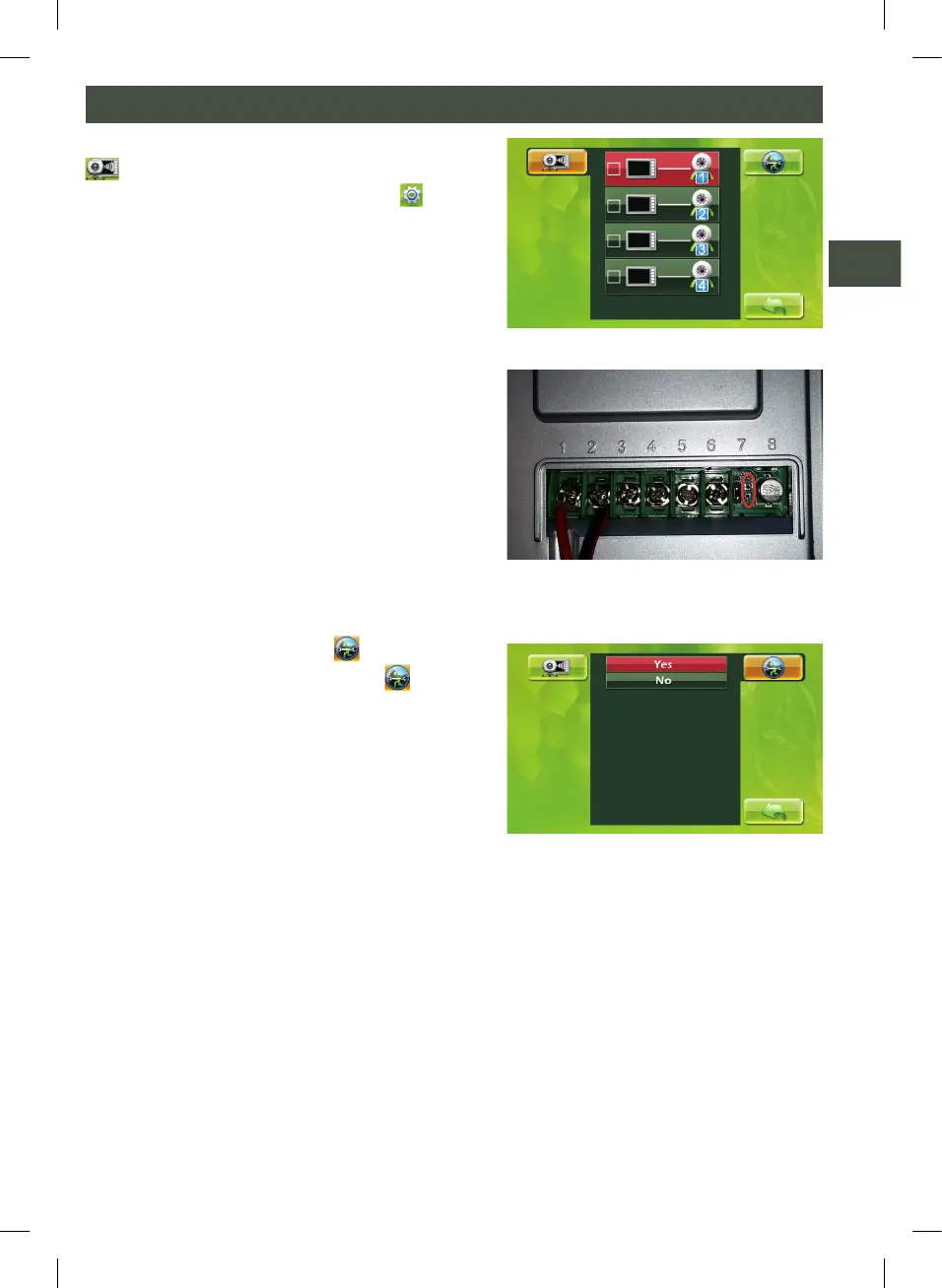
J. INSTALLATION OF AN EXTRA EXTERNAL UNIT
On the start screen click on “Settings” and
keep the monitor key (A) pressed for 5 seconds.
Select the external unit that you want to con-
nect with the up/down key (C).
Press confirm (E). The internal unit shows the
message “pairing...”
While making the connection use the pincers
supplied to press both metal plates at the back
of the selected external unit. When “OK” ap-
pears the selected external unit is connected.
Press the exit key (B) to go back to the previous
menu.
K. BACK TO FACTORY SETTINGS
Select the “Back to factory settings” icon and
press the confirm key (E) to select “Yes” or “No”.
PHOTO J - 2
CHANGE SETTINGS (5)
PHOTO J -1
PHOTO K


 To Next Page