en
31
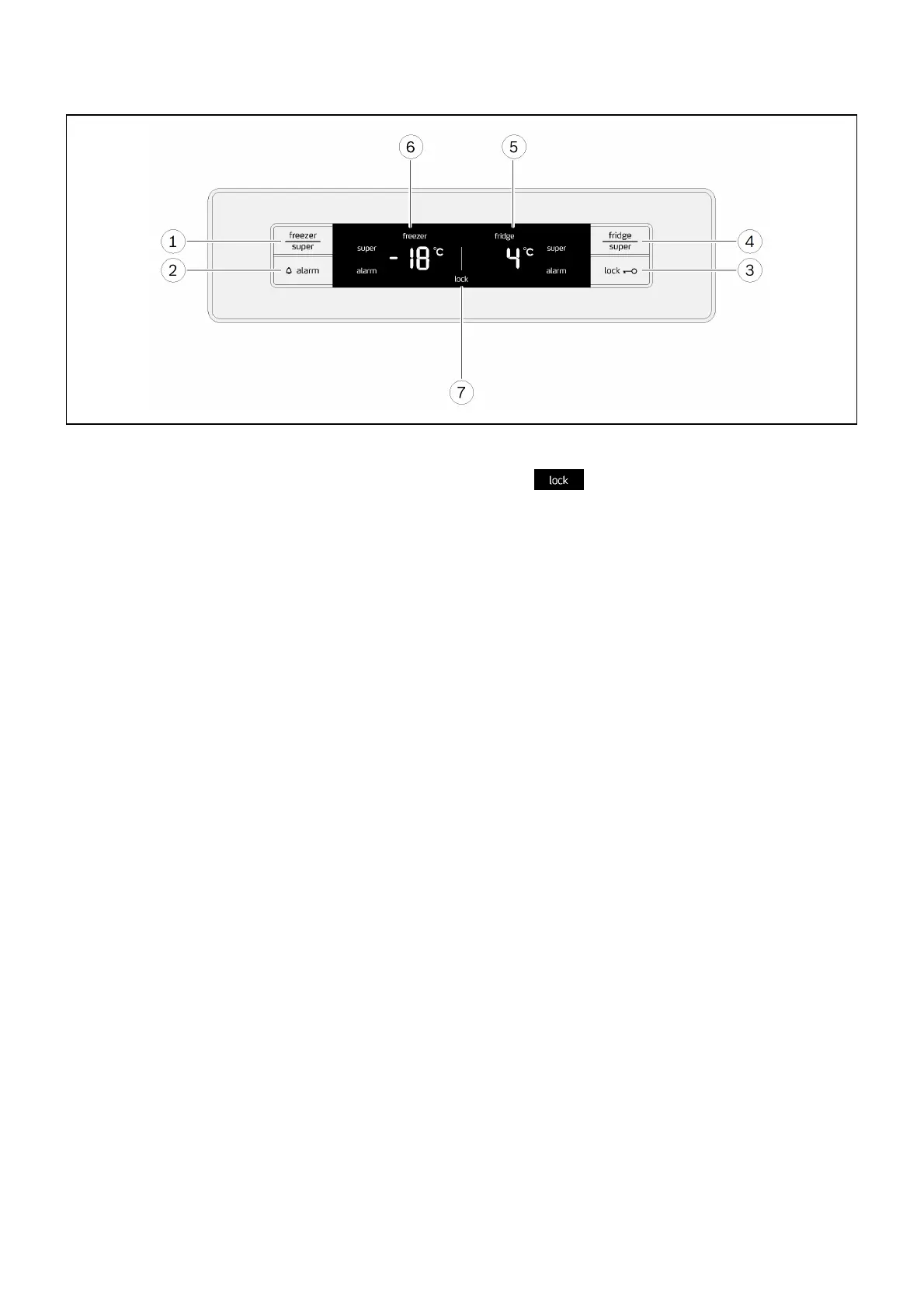
Operating controls
1 "freezer/super" button
■ For setting the temperature in the freezer
compartment.
■ For switching fast freezing function on and off.
2 "alarm" button
■ Switches off the display of the temperature
alarm.
3 "lock" button
■ Switches the button lock (childproof lock) on
or off.
4 "fridge/super" button
■ For setting the temperature in the fridge
compartment.
■ For switching the fast cooling function on and
off.
5 Fridge compartment display panel
■ Fridge compartment temperature.
■ "super" symbol shown when fast cooling
function is active.
■ "alarm" symbol shown when fridge
compartment alarm is active.
6 Freezer compartment display panel
■ Freezer compartment temperature.
■ "super" symbol shown when fast freezing
function is active.
■ "alarm" symbol shown when freezer
compartment alarm is active.
7 Symbols on the display panel
Button lock (childproof lock)
Button lock is switched on.


 To Next Page