
 Need help?
Do you have a question about the ProForm 630DS 831.299254 and is the answer not in the manual?
Ensures proper treadmill placement, ventilation, and protection from moisture and extreme temperatures.
Covers weight limits, number of users, attire, and age/pet restrictions for safe operation.
Details requirements for surge suppressors, grounding, and avoiding extension cords for electrical safety.
Includes regular inspection, avoiding objects in openings, and unplugging for maintenance.
Provides guidance on using iFIT.com CDs/videos, including listening for changes and removing media.
Highlights important safety decals and general warnings for user awareness during operation.
Welcomes users, emphasizes reading the manual, and provides contact information for assistance.
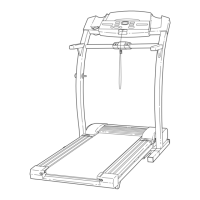
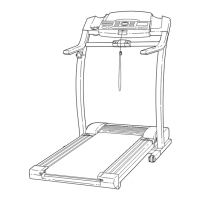
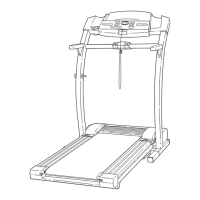
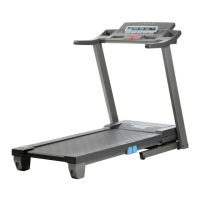
Illustrates and labels the key components of the PROFORM 630DS treadmill for user familiarization.
Details the two-person process for lifting and positioning the treadmill base during assembly.
Guides users on securely attaching extension legs to the uprights using provided screws.
Explains how to attach handrail extensions, secure pulse wires, and fit foam grips.
Instructs on properly installing and tightening the lock knob for stability.
Provides steps to level the treadmill by adjusting the rear feet for stability.
Advises against using silicone spray and emphasizes the PERFORMANT LUBE™ coating on the walking belt.
Details proper connection to a grounded outlet via a surge suppressor for safety and equipment protection.
Presents a diagram of the console, identifying displays, LED track, and manual controls.
Lists essential safety tips for console operation, including wearing the safety clip and keeping the console dry.
Explains how iFIT.com CDs, videos, and internet programs enhance workouts by controlling speed and incline.
Guides users on inserting the key, selecting manual mode, and starting the walking belt.
Details how to use the console buttons to adjust the walking belt speed and incline incrementally.
Explains the LED track and various displays (Distance, Time, Incline) for monitoring workout progress.
Describes the CALORIES/FAT CALORIES/PULSE and SPEED/MIN-MILE displays and their readings.
Provides step-by-step instructions for using the built-in pulse sensors to monitor heart rate.
Details how to stop the treadmill, remove the key, and turn off the main power switch.
Outlines the general requirements and purpose for connecting external media devices to the treadmill.
Provides specific instructions for connecting a CD player using audio cables and headphone jacks.
Offers guidance on connecting a portable stereo via RCA or 3.5mm jacks using appropriate adapters.
Details how to connect to a home stereo, including options for used or unused LINE OUT jacks.
Explains connections for computers with LINE OUT or PHONES jacks, using audio cables and adapters.
Provides instructions for connecting a VCR, including options for used or unused AUDIO OUT jacks.
Covers initial setup, power connection check, and mode selection for iFIT.com programs.
Instructs users to insert iFIT.com CDs into CD players or videocassettes into VCRs.
Details how to start programs, listen for chirps, and manually override speed/incline.
Explains how to monitor workout progress via console displays and what to do if the treadmill doesn't respond.
Guides users on stopping programs, removing the key, and powering down the treadmill.
Explains how to access programs via the internet, requiring computer connection and browser.
Details selecting a program on the website and starting it, including on-screen countdowns.
Covers listening for speed/incline changes, manual overrides, and stopping internet-based programs.
Instructs users to monitor progress using console displays after starting an internet program.
Reminds users to measure their pulse as desired during internet-based workouts.
Guides on removing the key after program completion and turning off the treadmill.
Explains how to access and interpret information mode displays for hours operated and miles moved.
Details how to identify and exit the console's demo mode for store display purposes.
Describes the benefits of the optional chest pulse sensor for hands-free heart rate monitoring.
Highlights the use of optional hand weights for incorporating upper-body exercise into workouts.
Provides detailed steps for safely folding the treadmill into its storage position, including latching.
Explains how to tilt and move the folded treadmill using its wheels, with safety precautions.
Details the process of unfolding and lowering the treadmill from its storage position for operation.
Addresses common causes and solutions when the treadmill fails to power up.
Provides steps to diagnose and resolve issues where the treadmill unexpectedly shuts off.
Guides on troubleshooting problems with the console's speed display, involving reed switches.
Offers solutions for inaccurate or non-functional pulse readings from the console sensor.
Covers solutions for a treadmill belt that loses speed during use, including belt tension.
Details how to adjust the treadmill belt to keep it centered on the walking platform.
Provides steps to fix a slipping walking belt by adjusting rear roller tension.
Explains how to recalibrate the incline system if it does not change correctly or respond to controls.
Explains how to use heart rate zones for fat burning and aerobic exercise goals.
Defines fat burning and aerobic exercise, and how to adjust intensity for each.
Recommends a three-part workout structure: warm-up, training zone exercise, and cool-down.
Suggests how often to exercise for maintaining or improving fitness levels.
Lists all treadmill parts with their corresponding key numbers, quantities, and descriptions.
Provides references for optional parts and notes on specific illustrations or components.
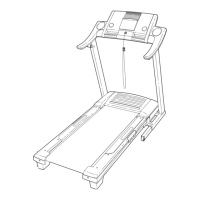
Diagram showing the exploded view of the main frame, rollers, and belt components of the treadmill.
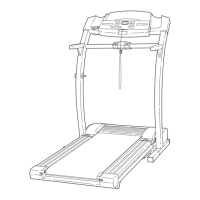
Diagram illustrating the exploded view of the console, handlebars, and upright support structures.
Diagram showing exploded parts of the console, motor, power supply, and related drive mechanisms.
Diagram displaying exploded views of the treadmill frame, extension legs, base pads, and front wheels.
Provides contact information for assembly, operation, or service questions via the toll-free helpline.
Details how to order replacement parts, including necessary product information for accurate ordering.
Outlines the terms and conditions of the 90-day limited warranty provided by Sears.


 To Next Page
 General