Profoto C1 Plus user guide
8
www.profoto.com
4. To create images with a digital camera equipped with a
Profoto Air Remote:
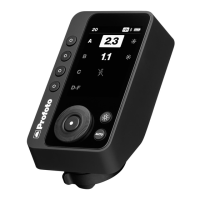
a. Turn on your Air Remote to Auto/TTL.
b. Use the Profoto Camera to select the same channel on
the Profoto C1 Plus as on the Air remote.
c. Start creating images.
d. For additional features, follow the instructions in the
Profoto Camera’s Remote control. To gain full benefits
from your products, also make sure to check the user
guide for your Air Remote.
5. To turn off your Profoto C1 Plus, press and hold the Capture
button [3].
1
6. To charge the battery, connect a charger to the USB-C port
[5].
2
7. To update the Profoto C1 Plus firmware, follow the
instructions in the Profoto Camera. Make sure to connect a
charger to the Profoto C1 Plus USB-C port during update.
1 Profoto C1 Plus automatically switches of after 30 minutes of inactivity
if not connected to Profoto Camera.
2 Profoto C1 Plus can not be used while charging.


 To Next Page