EasyManua.ls Logo

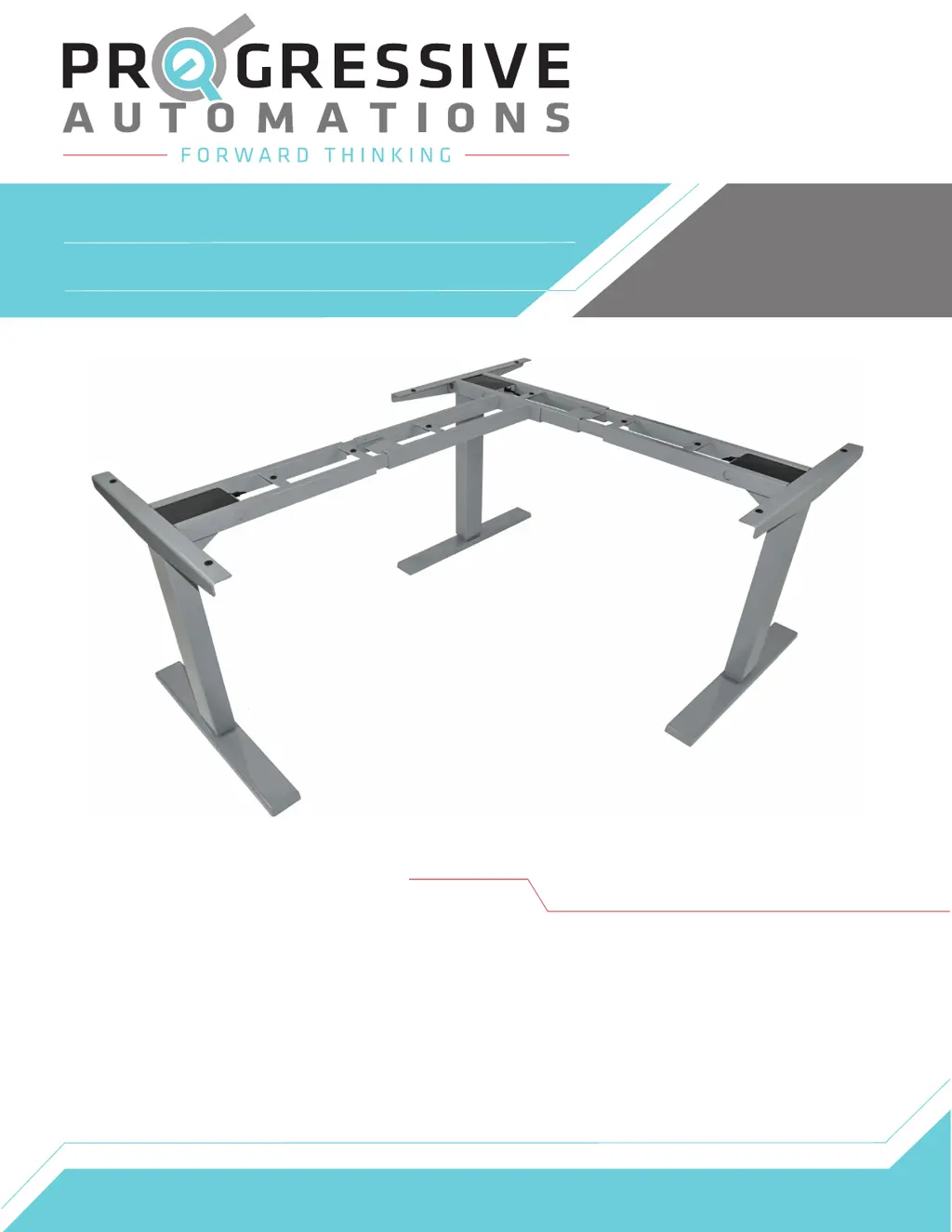
progressive automations flt-05 - User Manual

Default Icon
9 pages
Print Icon
To Next Page IconTo Next Page
Loading...
Contents
Caution
Specifications
Dimensional Drawing
Components
Assembly
Operation
Reset Procedure
Troubleshooting
1
2
3
4
5-6
7
7
8
FLT-05
User Manual

Other manuals for progressive automations flt-05

Questions and Answers

  • S
    Sharon BenitezAug 14, 2025
    What to do if Progressive Automations Lifting Systems table lift does not move?
    • M
      matthewriosAug 14, 2025
      If your Progressive Automations Lifting Systems table lift isn't moving when you press the motion control buttons, it could be due to a couple of reasons. First, check if you've reached a limit switch. If so, follow the 'Setting Limit Switches' instructions to remove the programmed limit, or move the system in the opposite direction if you've reached the maximum or minimum height. Secondly, there may be a connection issue. Try disconnecting and reconnecting the Lifting Columns, Control Box, AC Power, and Remote.
  • J
    James JeffersonAug 17, 2025
    What to do if Progressive Automations Lifting Systems table lift stops abruptly?
    • C
      Charles EdwardsAug 17, 2025
      If your Progressive Automations Lifting Systems table lift stops suddenly, check for any obstructions in its path. If the problem continues, initiate the Reset Procedure.
  • T
    Tom HoltAug 20, 2025
    What does Error Code E01 mean on Progressive Automations Lifting Systems?
    • U
      udavisAug 20, 2025
      Error Code E01 on your Progressive Automations Lifting Systems indicates that the total weight capacity of the table lift may have been exceeded, or there might be an obstacle obstructing movement. Press any key until the remote displays RST, then initiate the Reset Procedure. If the issue persists, disconnect and reconnect all lifting columns, including the main power, and repeat the Reset Procedure.
  • T
    Teresa Perez MDAug 25, 2025
    How to fix a Progressive Automations Lifting Systems table lift that is not level?
    • T
      Todd JenningsAug 25, 2025
      If your Progressive Automations Lifting Systems table lift is not level, disconnect and reconnect all cables (Lifting Column, Control Box, AC Power, and Remote), then initiate the Reset Procedure.
  • N
    Noah BrownAug 27, 2025
    What does Error Code E07 mean on Progressive Automations Lifting Systems?
    • D
      davisleslieAug 28, 2025
      Error Code E07 on Progressive Automations Lifting Systems suggests a connection issue. Ensure all columns are properly connected to the control box and check for damaged cables. Press any key until the remote displays RST, then initiate the Reset Procedure. If the problem continues, disconnect and reconnect all lifting columns, including the main power, and repeat the Reset Procedure.
  • B
    Brian BrownAug 31, 2025
    Why is the Progressive Automations Lifting Systems remote LED off?
    • S
      shawn21Aug 31, 2025
      The LED on your Progressive Automations Lifting Systems remote might be off for a couple of reasons. It could be in low power mode; if so, press any button to activate the LED. Alternatively, there might be a connection issue. Try disconnecting and reconnecting the RJ-45 remote connector, making sure the connection is secure and the cable isn't damaged.
  • S
    Sabrina StokesSep 3, 2025
    Why is Progressive Automations Lifting Systems table lift moving slowly?
    • A
      Aaron FrankSep 3, 2025
      If your Progressive Automations Lifting Systems table lift is moving slower than expected, it might be because the weight capacity has been exceeded. Ensure that the load does not exceed the maximum rating.
  • M
    Matthew HernandezSep 6, 2025
    Why is Progressive Automations Lifting Systems making unusual noise?
    • B
      Brittany JohnstonSep 6, 2025
      If your Progressive Automations Lifting Systems is making unusual noises during operation, it might be due to excessive weight. Make sure you are not exceeding the maximum load rating.
  • M
    Mandy ScottSep 9, 2025
    What does Error Code H01 mean on Progressive Automations Lifting Systems?
    • M
      markjohnsonSep 10, 2025
      Error Code H01 on Progressive Automations Lifting Systems indicates overheating. Allow the system to rest for 16 minutes, then resume normal use. Adhere to the Duty Cycle rating to prevent future overheating issues.

Summary

Caution

Specifications

Dimensional Drawing

Components

Assembly

Operation

Normal Operation

Explains how to use the wired remote to raise, lower, and set preset height locations.

Setting the LED Display

Guides users on adjusting the LED display for starting height and understanding display feedback.

Reset Procedure

Troubleshooting

Troubleshooting Guide

Offers solutions for common problems like remote issues, movement failures, and noise.

Error Codes

Lists and explains specific error codes displayed on the remote for diagnostics.

progressive automations flt-05 Specifications

General IconGeneral
ModelFLT-05
TypeLinear Actuator
CategoryIndoor Furnishing
MassageNo
USB PortsNo
Voltage12V DC
Current5A
Duty Cycle20%
ProtectionIP54
AdjustabilityAdjustable
Operating Temperature-26°C to +65°C
MaterialAluminum