16
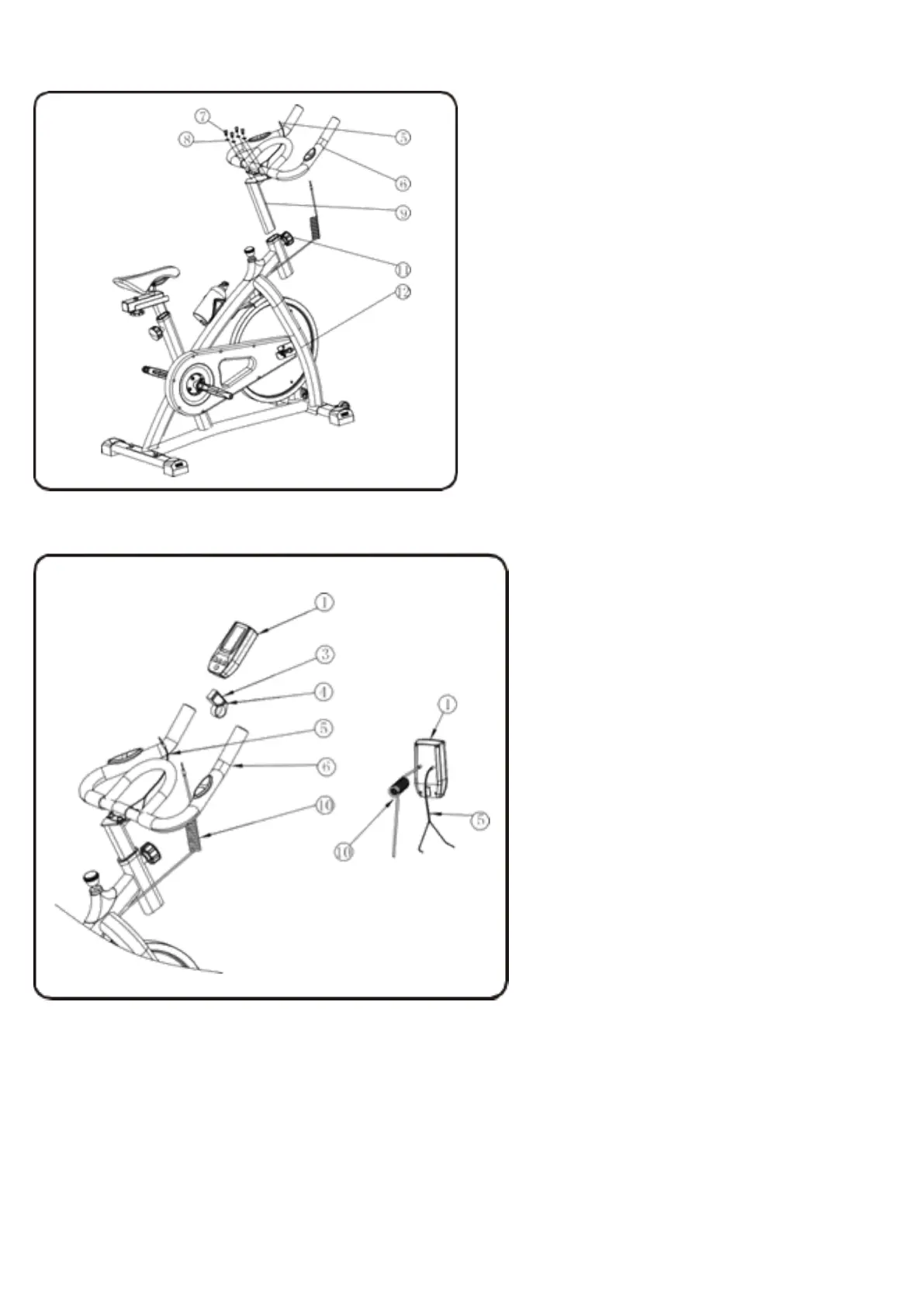
STEP 8: Attach the Handle Bar(6) to the Handle Post(9) using Allen Key Bolt(7) and Washer(8), Tighten with the
Allen Key Wrench.
STEP 7 : Insert Handle Post(9) to the Main Frame(12) Tighten by the Adjusting Knob(11).
STEP 9: Attach theComputerHolder(3)to the HandleBar,usingascrew(4)totighten(this part may already be
assembled by producer). Slide the Computer(1) into the Computer Holder(3),then connect the cable of sensor(10)
and pulse(5) to the computer.Put two batteries in the computer.



 To Next Page