Need help?
Do you have a question about the Project EV EVA-22S-SE-RFID and is the answer not in the manual?
Highlights standard features for EV chargers, emphasizing quality and comprehensive offerings.
Details core functionalities like Compact Design, Full Protection, Global Standard, and Intelligent features.
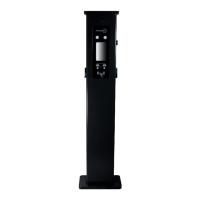
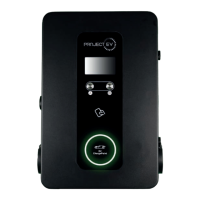
Illustrates and labels the various parts and components of the EV charger unit.
Details electrical specs including input voltage, frequency, output power, and charging interface type.
Lists various protection mechanisms like over voltage, over current, and surge protection.
Describes features like LCD, Ethernet/WIFI, RCBO, and intelligent power adjustment.
Specifies environmental operating conditions like protection degree, temperature, and humidity.
Details electrical specs for the 4G model, including input voltage, frequency, output power, and interface.
Lists various protection mechanisms like over voltage, over current, and surge protection.
Details features like LCD, Ethernet/4G, RCBO, and intelligent power adjustment for the 4G model.
Specifies environmental operating conditions like protection degree, temperature, and humidity for the 4G model.
Lists all items included in the charger packaging, such as the charger, certificate, and mounting accessories.
Step-by-step guide for mounting the EV charger onto a wall, including bracket installation.
Details securing the charger to the bracket and connecting AC input wires with terminal blocks.
Instructions for installing the EV charger by mounting it onto a pole, including pole base preparation.
Guides on securing the bracket to the pole and connecting cables, followed by refitting the access panel.
Explains the purpose and connection of a CT clamp for monitoring power import/export and load balancing.
Details setup for dynamic load management using CT clamps, including parameter settings.
Describes how to limit the charger output using the 'charger maximum output current' setting.
Illustrates the connection diagram for a Modbus meter for real-time power monitoring.
Step-by-step guide to configure a Windows computer with a static IP address for charger commissioning.
Details selecting Internet Protocol Version 4 and entering IP address, subnet mask, and default gateway.
Explains various charger parameters and their settings, accessed via a web browser interface.
Provides detailed explanations for key charger parameters like Charger ID, IP address, Subnet Mask, and Server URL.
Details settings like Load Management, RCD Calibration, WiFi Password, and Charging Mode.
Highlights app capabilities like power flow management, load balancing, multiple mode control, and charging inventory.
Introduces the Project EV app and outlines its main functions for controlling the charger.
Instructions for downloading and installing the Project EV app on Android and iPhone devices.
Steps for registering and logging into the Project EV app for the first time.
Guides users through the process of creating a new account in the Project EV app, including required fields.
Outlines the step-by-step process for commissioning the charger using the Project EV app and WiFi connection.
Explains the 2021 regulations for smart charge points and Project EV's compliance.
Summarizes critical aspects like default off-peak charging, Demand Side Response, and randomised delay.
Provides methods to disable or opt out of charging during peak hours using laptop or app settings.
Describes the anti-tamper switch feature and its activation, triggering error indicators.
Explains how to opt out or adjust time delay settings for charging via laptop or app.
Details new regulations concerning data encryption, user privacy, and charger security.
Illustrates various charger statuses shown in the app, such as AC Preparing, Faulted, and Charging.
Explains how to initiate or cease charging using the app or RFID card, including reservation and payment.
Details the process for initiating and ceasing charging solely by swiping an RFID card.
Describes automatic charging initiation upon vehicle connection and manual stop via the charger button.
Guides users on setting preset charging schemes and reservation functions for desired charging times.
Explains how to schedule a charge start time and set it to repeat daily for automatic charging.
Covers viewing charger station ID, version number, and modifying basic parameters like name and city.
Details changing charge rates, control methods (App, RFID, Plug+Charge), and solar modes.
Instructions on accessing past charge records including charger ID, time, energy, and cost details.
Process for adding a new charger to the Project EV app by scanning a code or entering the charger ID.
How to switch between multiple chargepoints or remove a chargepoint from the app account.
Using the app to turn the charger on/off or initiate charging when the status is 'Preparing'.
Managing authorised users, viewing authorisation time, account name, and deleting users.
Managing user accounts, avatars, passwords, and binding phone numbers/mailboxes.
Steps to follow on the login page to recover a forgotten password for the app.
Guides users on diagnosing faults by interpreting LED behaviour or LCD fault codes.
Troubleshooting steps for Wi-Fi connection issues, checking lights on the Wi-Fi module.
Interpreting the status of the 4G module lights (solid, slow flashing, fast flashing) for connectivity.
Troubleshooting steps if charging cannot start, checking emergency stop, charge mode, and time settings.
Resolving problems with unplugging the charging cable from the car or charger, checking settings.
Provides contact methods for technical support via email, live chat, and phone number.
Details the authorized warranty terms for ATESS EV AC/DC Chargers for UK consumers.
Outlines the process and checks required before calling or emailing for warranty support.
Specifies cost allocation for spare parts, transport, and service within the first three years.
Details cost allocation for spare parts, transport, and service between years three and five.
Lists conditions and situations not covered by the limited warranty, such as misuse or unauthorized repair.
Covers warranty registration, notification requirements, and required information for claims.
Procedure for disputes regarding material defects or reduced power, involving accredited testing institutes.
Excludes ATESS liability for non-performance due to force majeure and defines warranty validity.
Explains factors influencing EV charging time, including charger and vehicle inverter power.
Details the necessary electrical connection power for a charging station, between 3.7kW and 22kW.
Highlights advantages of EVs like reduced emissions, improved air quality, cost savings, and lower noise.
Compares Level 2 chargers with DC fast chargers, detailing their typical use cases and specifications.
Addresses common charger issues like no lights, flashing red lights, and app status errors.
Guides on resolving problems connecting the charger to home WiFi via the app.
Information on seeking help for setting up reserved charging for off-peak energy tariffs.
 General
| Brand | Project EV |
|---|---|
| Model | EVA-22S-SE-RFID |
| Category | Battery Charger |
| Language | English |

 To Next Page