Need help?
Do you have a question about the Project EV EVA-07D-SE-RFID and is the answer not in the manual?
Copyright notice and terms of use for the user manual.
Overview of Project EV's intelligent dual outlet AC charger features and benefits.
Highlights key features included as standard on Project EV chargers.
Details core functionalities: Compact Design, Full Protection, Global Standard, Intelligent.
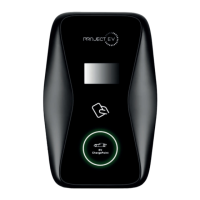
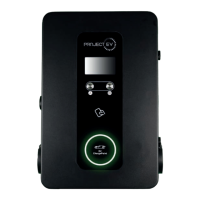
Identifies and labels key parts of the Dual Floor Pro Earth charger.
Details electrical inputs, outputs, and safety protections like over-voltage and leakage.
Covers working environment conditions, dimensions, and weight.
Lists compliance standards and functional accessories like LCD and RCBO.
Details electrical inputs, outputs, and safety protections like over-voltage and leakage.
Covers working environment conditions, dimensions, and weight.
Lists compliance standards and functional accessories like LCD and RCBO.
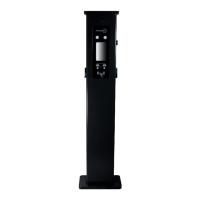
Lists items included in the charger package: charger, manual, certificate, cards, screws, bolts, pedestal.
Steps for mounting the charger on a hard surface using expansion bolts.
Details connecting input cables and crimping terminals for the charger's electrical setup.
Explains the CT clamp setup for real-time power monitoring with a Modbus meter.
Configuring settings for dynamic load management via Modbus Meter.
Setting a hard limit for charger output current for static load management.
Guide to setting a static IP on Windows for accessing the charger interface.
Configuring IP address, subnet mask, and default gateway in Windows network settings.
Details various settings for the charger, including firmware, IP, and network parameters.
Explanation of charger settings like ID, IP, subnet mask, MAC, and server URL.
Explains settings for RCD calibration, solar modes, load management, and regulations.
Overview of the Project EV app for controlling and charging your vehicle.
Lists app capabilities: adding chargers, controlling charging, scheduling, settings, etc.
Describes app ease of use, security, and download/installation steps.
Step-by-step guide to registering a new user account for the Project EV app.
Steps to connect and configure the charger using the Project EV app.
Explains the EV Smart Charge Points Regulations 2021 and their impact.
Details off-peak charging, Demand Side Response, and randomised delay.
Instructions on how to disable or opt out of default peak charging hours via laptop or app.
Describes the anti-tamper switch and its activation indicators.
How to adjust or opt out of the randomised delay feature for charging.
Discusses data encryption, user privacy, and charger security requirements.
Shows different app statuses: Schedule Charge Set, Charger Faulted, Car Fully Charged, etc.
Explains APP/RFID mode for initiating and ceasing charging.
Steps for initiating or ceasing charging using an RFID card.
Describes automatic charging initiation and stopping via the charger's on/off button.
How to use preset charging schemes and reserved charging functions.
Setting a specific time for the charger to start charging daily.
Viewing charger information and modifying basic parameters like name and station.
Changing charge rates, control methods (App, RFID, Plug+Charge), and solar modes.
Viewing past charging records including ID, time, energy, and cost.
Process for adding a charger to the app by scanning or entering its ID.
How to switch between multiple chargepoints or remove one from the app.
Using the app to turn the charger on/off or start charging.
Managing authorized users, viewing authorization details, and deleting users.
Steps to recover a forgotten password through the app's login page.
Diagnosing faults based on LED blinking patterns or LCD fault codes.
Troubleshooting 'No Connection' errors and understanding Wi-Fi module LED indicators.
Interpreting the status of the 4G module lights (solid, slow/fast flashing).
Resolving problems where charging cannot start after plugging in the car.
Troubleshooting difficulties in unplugging the charging cable from the charger.
Contact methods for technical support: email, live chat, and phone.
Details the 5-year warranty terms for ATESS EV AC/DC Chargers.
Information on authorized installers and which products are covered by the warranty.
Defines ATESS's warranty for product defects in materials and workmanship.
Details cost responsibilities for spare parts, transport, and service within warranty periods.
Lists conditions and events that void or limit the product warranty.
Procedure for registering products and submitting warranty claims.
Procedures for material defect disputes and force majeure events.
Specifies warranty validity period and ATESS's right to change terms.
Discusses charging time factors, electrical connection needs, and EV benefits.
Distinguishes between Level 2 chargers and DC fast chargers.
Diagnosing issues like flashing red lights, over/undervoltage, and emergency stop activation.
 General
| Brand | Project EV |
|---|---|
| Model | EVA-07D-SE-RFID |
| Category | Battery Charger |
| Language | English |

 To Next Page