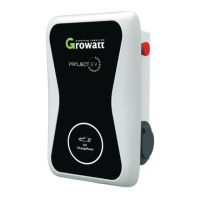
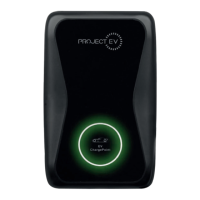
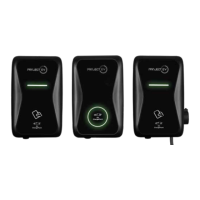
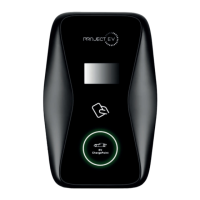
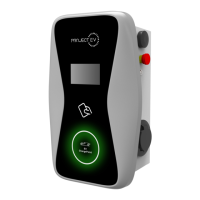
This document is a user manual for the Project EV Dual Wall Pro Earth AC Charger, specifically covering models EVA-07D-SE-W, EVA-22D-SE-W, EVA-07D-SE-W-C, and EVA-22D-SE-W-C. It provides a comprehensive guide from installation to operation, including product features, specifications, installation instructions, load management, commissioning, app usage, troubleshooting, and warranty information.
Function Description
The Project EV Dual Wall Pro Earth AC Charger is an intelligent dual-outlet power supply device designed for electric vehicles. It offers a user-friendly interface and versatile functions for control, billing, and communication. The charger can connect to a back-office server via wired Ethernet, Wi-Fi, or 4G for diversified communication options. It is designed to provide energy supply to electric vehicles efficiently and safely.
Key functions include:
- Charging Modes: Supports APP/RFID mode, RFID mode, and Plug & Charge mode.
- Smart Charging: Complies with EV Smart Charge Points Regulations 2021, including default off-peak charging, demand-side response (DSR) capabilities, and randomised delay. Users have options to override these settings.
- Load Management: Features both dynamic and static load management. Dynamic load management requires a Modbus Meter and allows the charger to reduce output based on the property's main fuse size to prevent overload. Static load management allows users to hard-limit the charger's maximum output current.
- Monitoring and Control: Real-time power import and export monitoring via a CT clamp (for solar and dynamic load balancing). Users can control charging start/stop, schedule charges, and view charging records through the Project EV Standard App.
- Communication: Equipped with Wi-Fi, Ethernet, and optional 4G for back-office server connection.
- Safety Features: Includes over-voltage, under-voltage, overload, short circuit, earth leakage, over-temperature, and surge protection. Models with "C" in their name also feature an anti-tamper switch. Onboard RCBO isolation is standard.
- User Interface: Features an LCD display, screen selection buttons, RFID reader, and A/B status indicators.
Important Technical Specifications
The manual details specifications for both 7.3kW (EVA-07D-SE-W/C) and 22kW (EVA-22D-SE-W/C) models.
Input & Output (7.3kW models):
- Input Amps: 63A Single Phase
- Input Voltage: 230V AC
- Input Frequency: 50Hz
- Output Voltage: 230V AC
- Max. Output Power: 7kW per socket
- Max. Output Current: 32A per socket
- Charging Interface Type: IEC 62196-2, Type 2
Input & Output (22kW models):
- Input Amps: 63A Three Phase
- Input Voltage: 415V AC
- Input Frequency: 50Hz
- Output Voltage: 415V AC
- Max. Output Power: 22kW per socket
- Max. Output Current: 32A per socket
- Charging Interface Type: IEC 62196-2, Type 2
General Specifications (common to both):
- Protection Degree: IP65
- IK Rating: IK10
- Environment Temperature: -25°C to +50°C
- Relative Humidity: 0-95% non-condensing
- Cooling: Natural air cooling
- Standby Power Consumption: <8W
- Dimensions (W/H/D): 360/562/176mm
- Weight: 16KG
- Number of Outlets: 2 (Type 2 sockets)
- RCBO: Type A +6mA DC fault current protection (Equivalent to Type B)
- Certifications: CE, SA8000 Accredited, OZEV Approved, UKCA
- Communication Options: Ethernet, Wi-Fi, optional 4G
- Features: LCD, LED indicator light, emergency stop button, RFID reader, Dynamic Load Management (Modbus Meter only). Anti-Tamper Switch is included in "C" models.
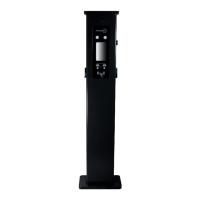
- Mounting: Wall-mounting (standard), optional floor-pole or ground-mounting.
Usage Features
- Installation: The manual provides detailed instructions for both wall-mounted and pole-mounted installations. It covers unpacking, marking drill holes, securing the mounting bracket, and wiring the charger. M8-x Metal crimp lugs are required for cable connections.
- Commissioning: A laptop can be configured with a static IP address (192.168.1.3) to access the charger's parameter setting interface via a web browser (192.168.1.5:8080). This allows for detailed configuration of network settings, charging modes, load management, and other parameters.
- Project EV Standard App:
- Account Management: Users can create an account, add chargers by serial number or QR code, switch between multiple chargepoints, and remove chargers.
- Charger Control: Start and stop charging, preset charging schemes (by amount, energy, or duration), and schedule charge start times.
- Authorisation: Authorise other users to use the charger, manage authorised users, and view authorisation details.
- Personalisation: Modify charger parameters such as name, location, charge rates, control method (APP/RFID/Plug & Charge), lead lock system, and solar modes.
- Records: View past charge records including charger ID, gun used, time, energy consumed, and cost.
- Troubleshooting: The app displays charger status (Preparing, Faulted, Fully Charged, Plugged In, Offline, Charging) and error messages (e.g., "Door open" for anti-tamper activation).
- Charging Modes:
- APP/RFID Mode: Initiate or cease charging via the Project EV App or by swiping an RFID card. Supports reservation and payment functions if the back-office server is configured.
- RFID Mode: Charging is initiated or ceased solely by swiping an RFID card.
- Plug & Charge Mode: Charging starts automatically when the EV is plugged in. Stopping requires pressing the forced on/off button on the side of the charger.
- Smart Charge Point Regulations: The charger comes pre-configured with mandatory regulations, including default off-peak charging hours (8am-11am and 4pm-10pm on weekdays) and a randomised delay (up to 600 seconds) before charging starts. Users can opt out or adjust these settings via the app or laptop commissioning interface.
- Anti-Tamper Switch: New regulations require an anti-tamper switch. If activated (e.g., door opened), the unit displays 14 red flashes and the app shows "Door open" and an error.
Maintenance Features
- Troubleshooting by LED/LCD: The manual provides a detailed table of fault codes displayed on the LCD or indicated by the number of blinks of the LED indicator light. Each fault sequence is separated by a 3-second pause.
- Common Faults and Solutions:
- No Connection (App unavailable): Check Wi-Fi module lights (blue band), Wi-Fi details, charger connection to phone, and firewall settings. LED 1 rapidly flashes when connected to Wi-Fi.
- 4G Module Issues: Check 4G module light (red band). Solid light indicates correct SIM insertion and aerial. Slow flashing indicates 3G connection; check 4G APN. Fast flashing indicates 4G connection; check 4G APN.
- Charging Issues: Check emergency stop button, charge mode settings (APP/RFID/Plug & Charge), off-peak charging settings, charger time, and vehicle settings.
- Cable Unplugging Issues: Unlock the car, unplug from car and charger. If the cable is stuck, ensure the connector is firmly plugged, push it, then press the silver ON/OFF button on the right-hand side to unlock. If issues persist, check settings for automatic unlock or power cycle the unit.
- Flashing Red Lights: Different numbers of red flashes indicate specific faults:
- Five times: Overtemperature detected. Turn off at consumer unit, wait, then restart.
- Six times: RCD switch tripped. Reset the RCD switch (small button next to it).
- Fourteen times: Anti-tamper switch activated (cover loose/removed). Check and replace cover.
- Other faults: Over-voltage, under-voltage, over-current, DC leakage, RS485 communication fault, Type A switch fault, relay fault, PE fault, PEN fault.
- Remote Diagnosis: Project EV can remotely access and diagnose faults if the charger is online. Users are encouraged to provide pictures and videos of faults.
- Warranty: A 5-year limited warranty (3 years parts and labour, plus 2 years parts) is provided for ATESS EV AC/DC Chargers installed by an Authorized 5 Year Warranty Installer. The warranty covers defects in materials and workmanship under normal application. Specific exclusions apply, such as cosmetic changes, improper installation, misuse, or unauthorized repairs. Registration of the product within 30 days is required for the full 5-year warranty.
This manual ensures users have the necessary information to install, operate, and maintain their Project EV Dual Wall Pro Earth AC Charger effectively and safely.

 Need help?
 General

 To Next Page