7
1. CONNECTING TO A SMART DEVICE (BLUETOOTH)
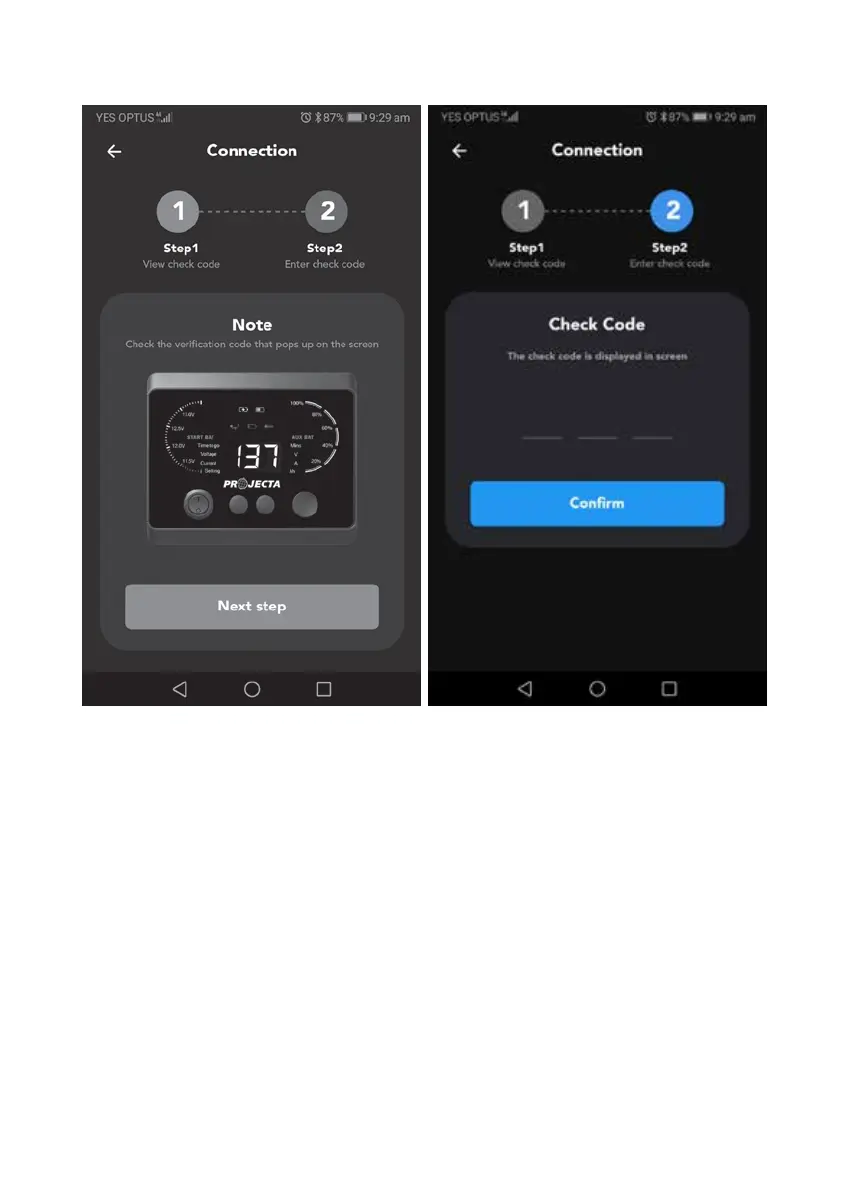
4. A verification code will pop up on the display module. Click Next Step.
5. Enter the 3-digit code into the mobile APP and press confirm.
6. Once you have established a paired connection with your smart device,
the app will take you to the home screen.


 To Next Page