14
J
english
C
E
B
F
G
N
A
H
I
D
L
N
M
J
K
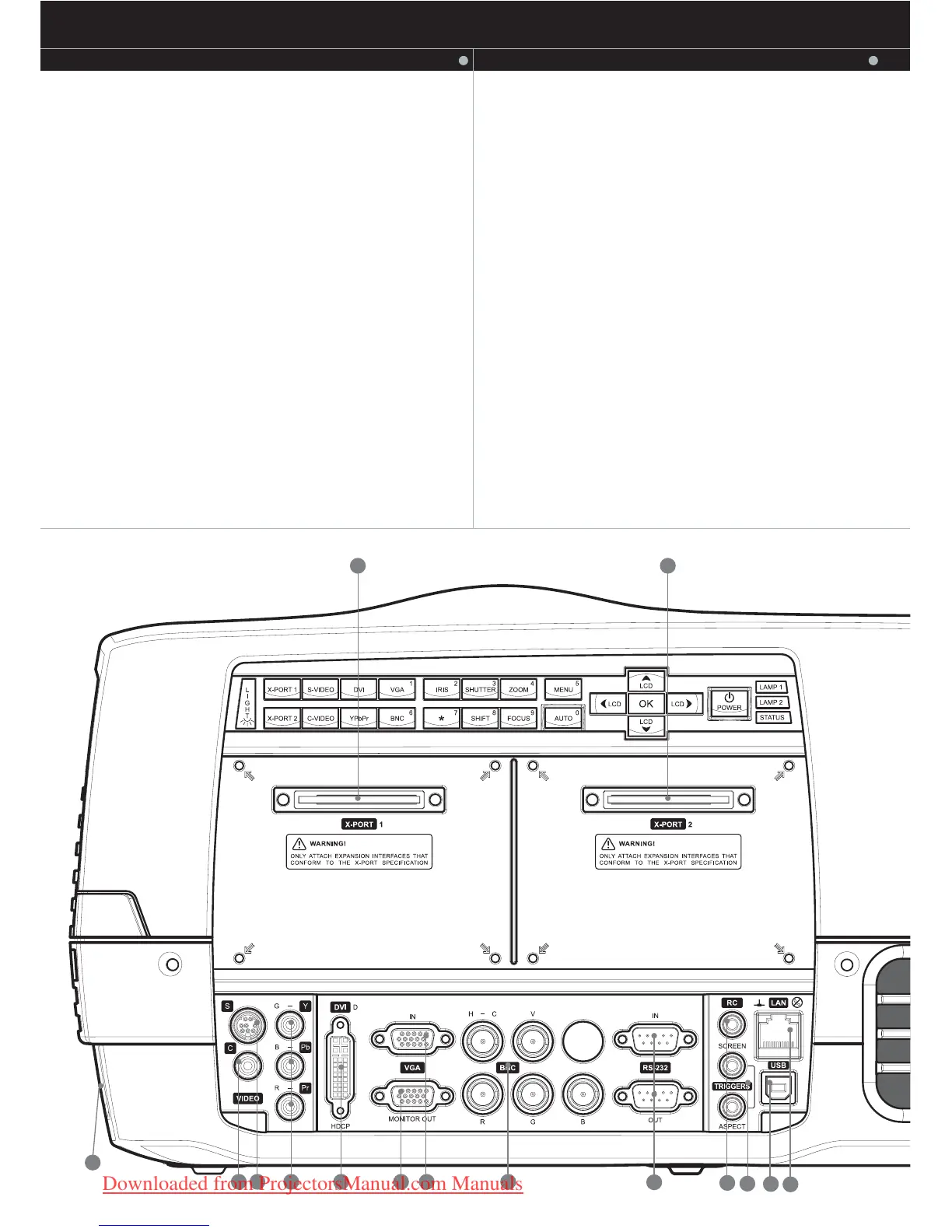
CONNECTOR PANEL
The conector panel may be illuminated by pushing the LIGHT key on
the keypad.
A C-VIDEO: Used for standard video quality.
B S-VIDEO: Used for improved quality video.
C YPbPr: Used for high quality video reproduction.
D DVI-D - Digital RGB: For a low noise computer
and video image.
E Monitor VGA out: Allows for connection to local VGA monitor or
daisy-chaining of several projectors using VGA. Works with VGA
inputs only.
F VGA - Analog RGB: The standard analog computer graphics
interface.
G BNC - Analog RGB: An alternative analog computer graphics or
video interface.
CONNECTOR PANEL
H RS 232 control in-out: Allows for wired remote control and
monitoring of many projector functions used in installation
environments. The secondary output connector allows for
daisy-chaining, enabling both individual and global control and
monitoring of multiple projectors.
I RC: Allows connection of external IR receiver or wired remote control.
J Triggers: 12VDC for Screen Drop and Aspect Ratio control
K USB - interface: Allows for computer mouse control.
L LAN: Provides access to control and monitoring over a Local Area
Network
M Mains power connector: Use only three-prong / grounded power
cord.
N X-PORT 1, 2: Custom interfaces used for application-specific
signal processing. Use only approved interfaces that conform to
the X-PORT specification.
english


 To Next Page