USER GUIDE SVGA LCD PROJECTOR
15
7 IMAGE ADJUSTMENTS
This section will aid in adjusting a stable, flicker-free image for best viewing
results.
Use the remote control or the projector keypad to adjust settings, either
directly or through the menu system.
The following list aids in a trouble free set-up of the
projector. Try using a patterned background (tiles,
checkerboard pattern etc) when adjusting the image.
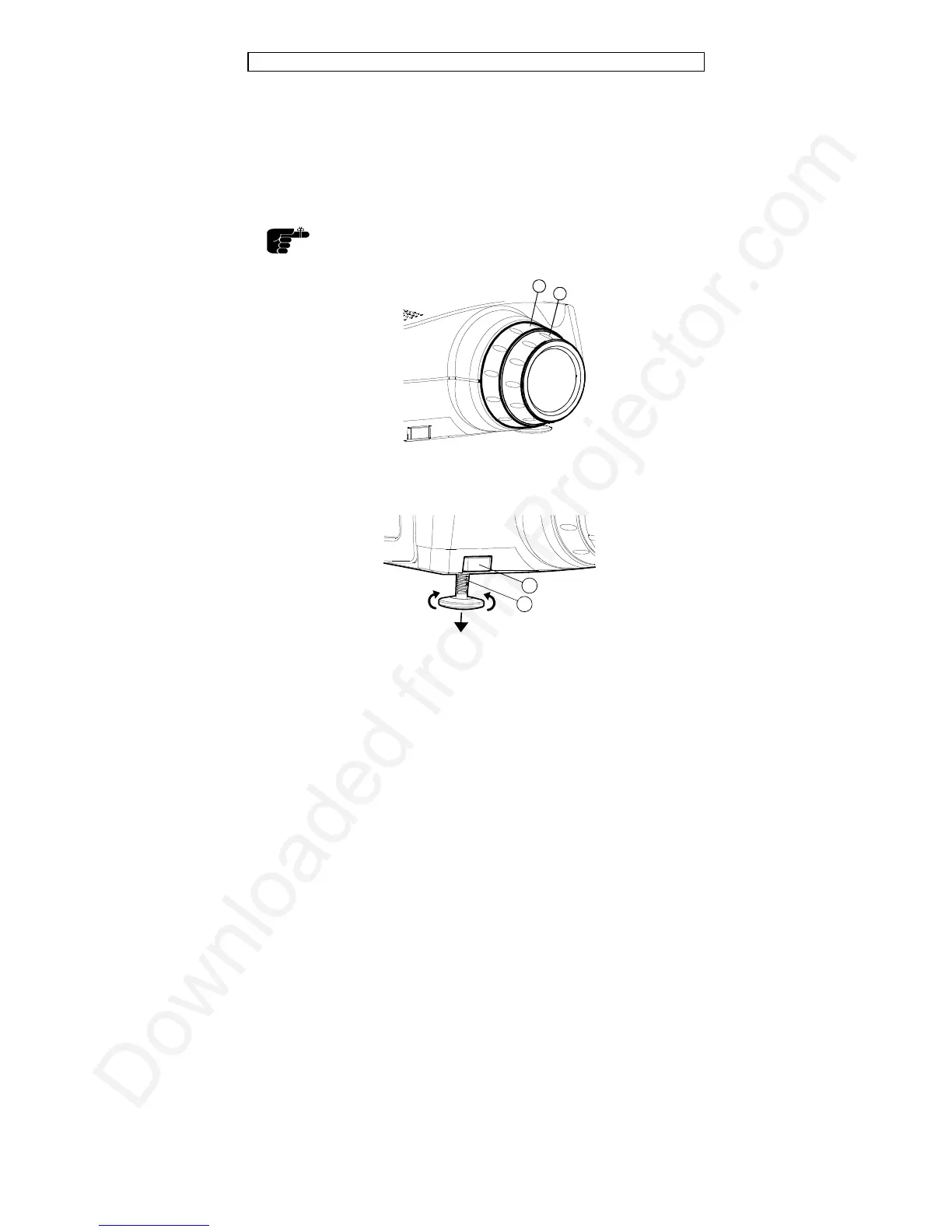
1. Zoom
2. Focus
3. Foot release button
4. Adjustable foot
1. ZOOM, FOCUS AND POSITION IMAGE. The projection lens has a
manually adjustable zoom and focus. Place the projector at a suitable
distance to the projection screen; alternatively zoom the image, to obtain
the desired screen size. (See the Technical Data section for max and
min projection distances.) Focus the image and observe that the picture
elements (pixels) become sharp on screen. The projector has two
1
2
3
4



 To Next Page