ProJet®MJP 2500/2500 Plus
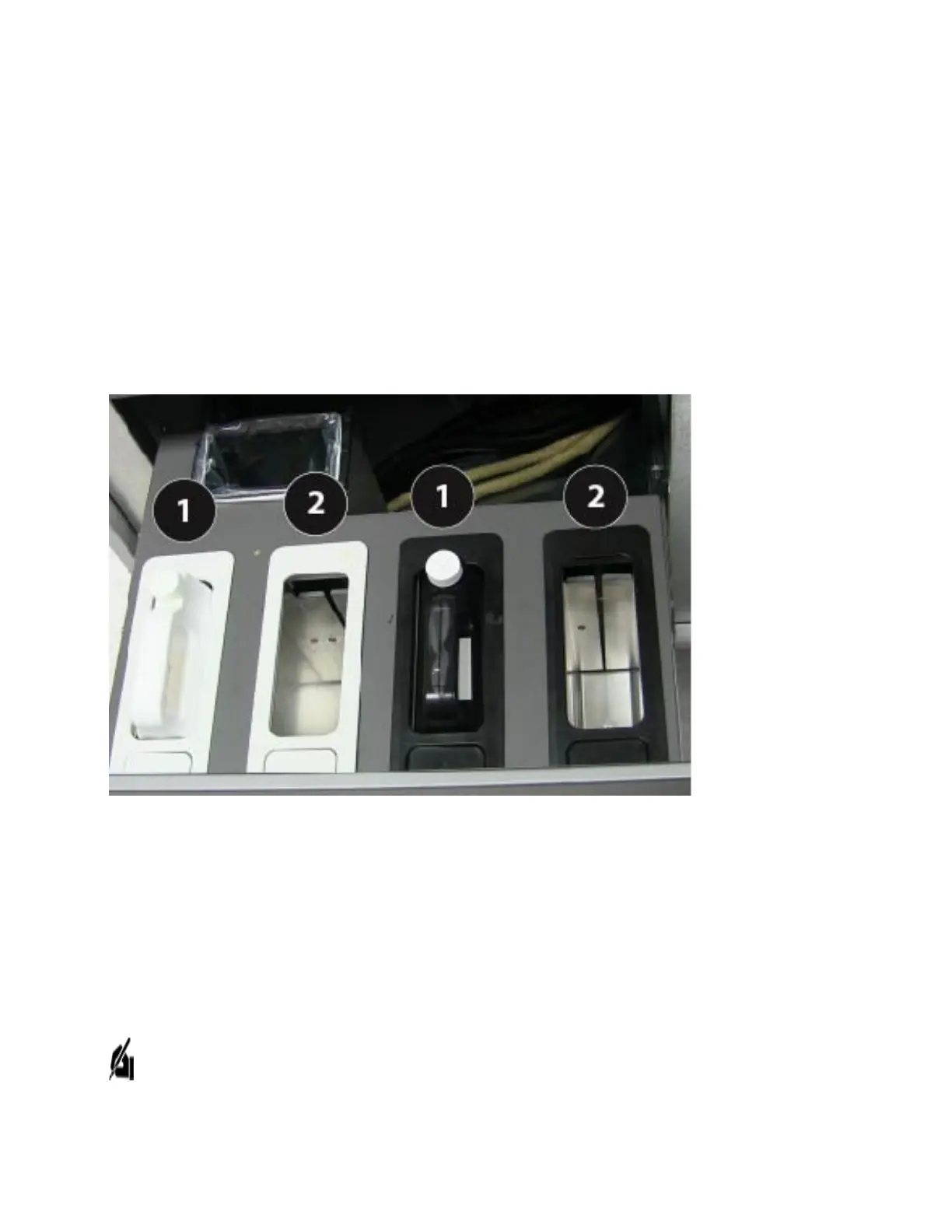
Support Material Containers 1 and 2: These containers hold the VisiJet® M2 SUP support
material that is used for the build. The support material is housed on the left side of the
MDM in the white receptacles.
Part Material Containers 1 and 2: These containers hold the cartridges of the VisiJet® part
material, which are used to build parts on the 3D printer system. The part material is housed
on the right side of the MDM in the black receptacles.
Smart Cartridge Technology:All cartridges incorporate smart cartridge technology that
enables the ProJet® MJP 2500to verify that the user does not use the wrong material, use
material incorrectly, or use empty or expired containers, ensuring the material is safe to use.
Waste Bag Receptacle
Behind the Support Material cartridges there is a waste bag receptacle area containing a
disposable bag and rigid liner. The waste bag and liner will need to be changed periodically.
See Changing Waste BagSection of this manual to change waste bag.
NOTE: With every material cartridge delivered, two waste bags will be supplied. If more
waste bags are required, they can be ordered separately.
Power



 To Next Page