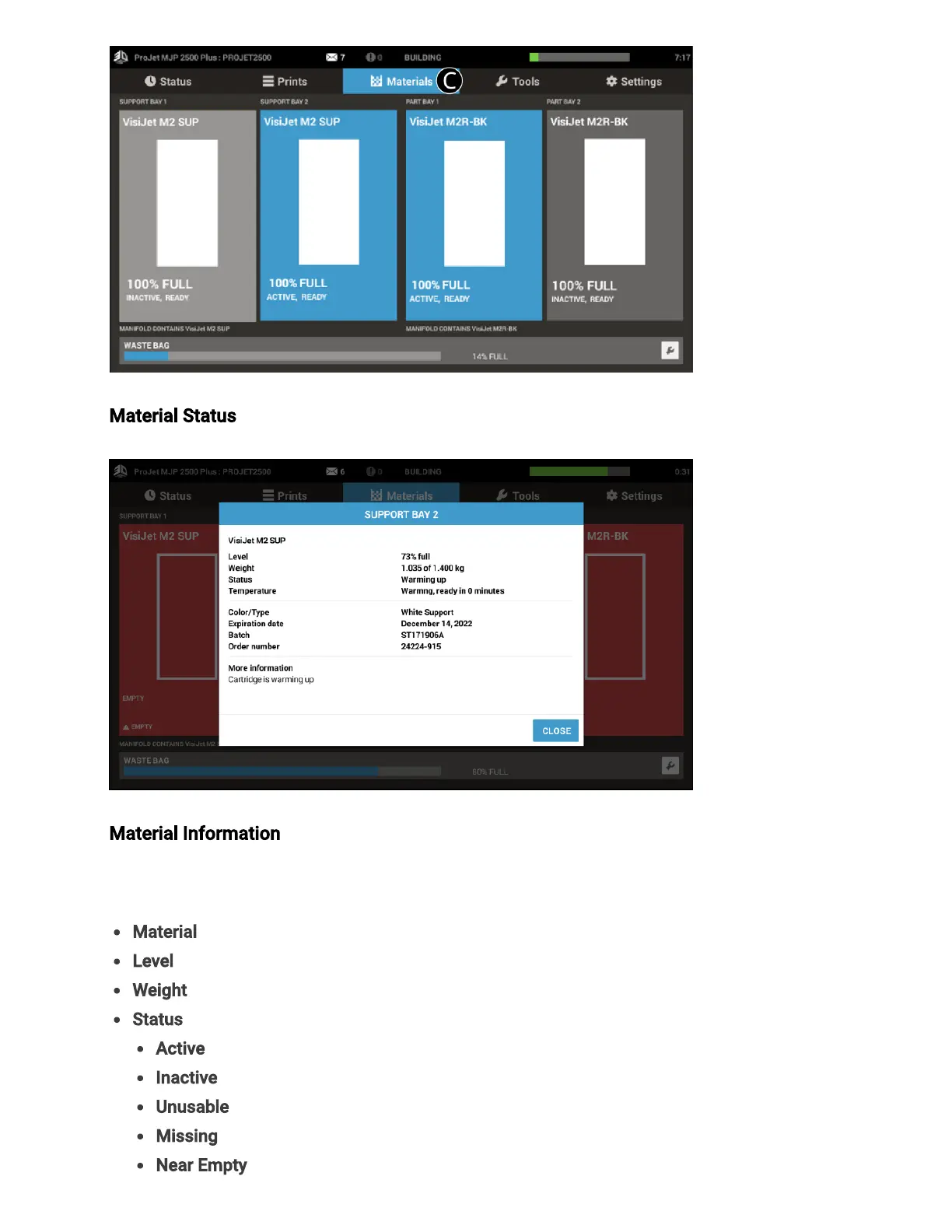
Material Status -Displays the level of material in both the Support and Part Cartridges.
Material Information - Clicking on the material level in any one of the four of the material
status screens will bring up an information box about that particular cartridge of material.
Information listed here is:
Material- Type of material in cartridge
Level- Percentage of material remaining in cartridge
Weight- Weight of material in cartridge
Status- Current information about materials
Active– current cartridge in use for printing
Inactive– cartridge available, but not currently in use
Unusable– cartridge has a fault and cannot be used, contact service for assistance
Missing– no cartridge installed
Near Empty–cartridge is almost empty



 To Next Page