1.5. Information
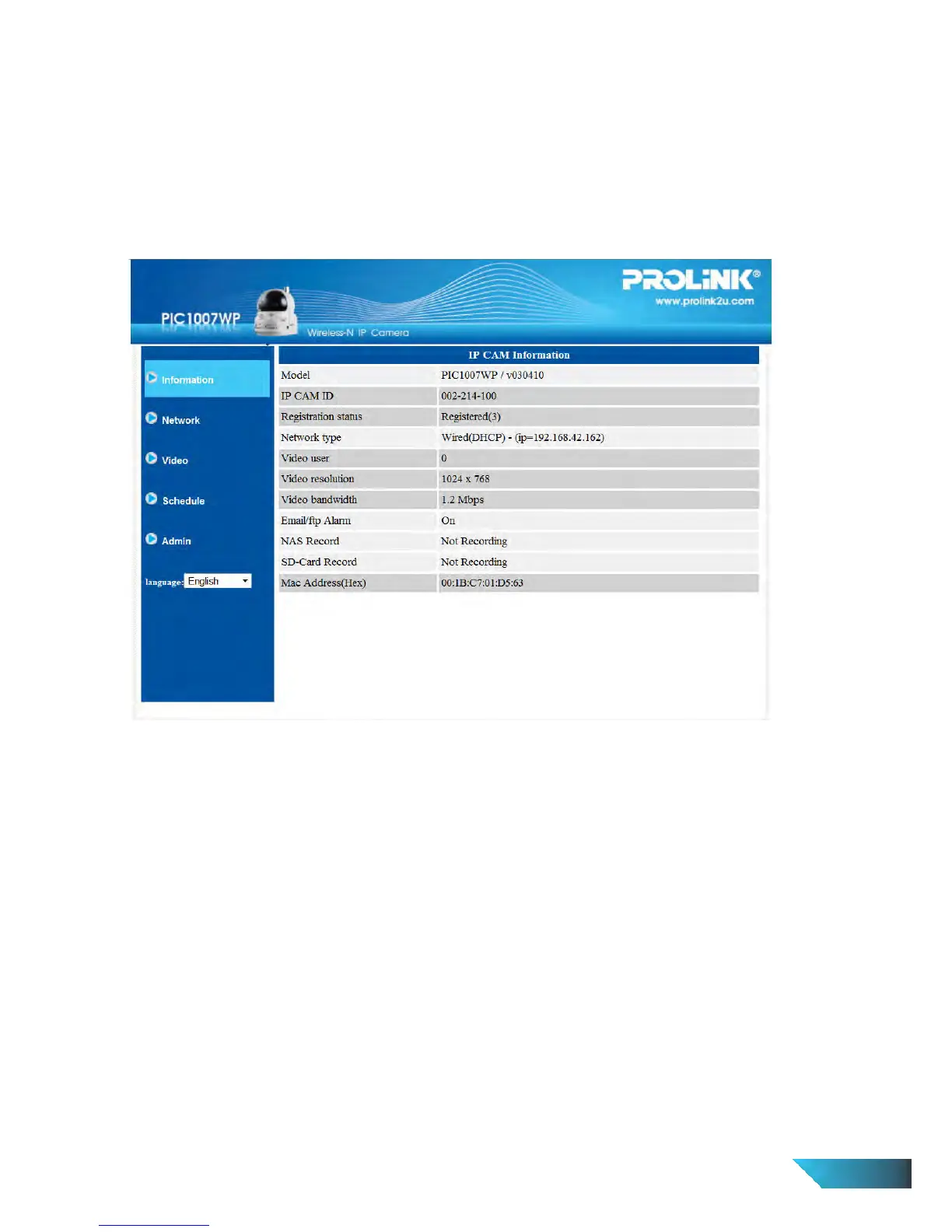
The default page of the web configuration of the IP Camera is the Information page. You can see the model
name/firmware version, IP Camera ID, registration status, network type and current video settings
(bandwidth, resolution), in this page.
The IP Camera can only be viewed remotely by the LiveView Software when the IP Camera is connected. If
this IP Camera is not connected, please check the Ethernet wiring of your network environment. The “Net
work type” field displays the network connection (wired or wireless) and method (DHCP, PPPoE or static IP)
the IP Camera is running. The “Video users” field displays the number of connected video viewing users.
Figure 3-3: IP Camera Information page
EN 11


 To Next Page