Beta Draft Confidential
Installing and Wiring the Thermostat
Proliphix Internet Managed Thermostat (IMT) Installation Guide 9
Part No. 600-03100-000, Rev. 4
To wire the base plate terminals:
1 Use Table 3 on page 6 to match the letter of your existing thermostat wire to the
corresponding terminal letter on the Proliphix base plate.
2 Strip the wire insulation from the wire ends. Verify that the wire ends are straight. To
avoid damaging the labels, use caution when handling the wires and push any excess
wire back into the wall.
3 Using Figure 3 on page 7 or Figure 4 on page 8 as a guide, connect the labeled wires
to the terminal post with the corresponding letter on the IMT base plate. For example,
connect the wire labeled “W1” to the W1 terminal post.
4 Loosen the terminal post screw used to secure the wires. Insert the wire straight down
into the square hole and secure the corresponding screw to the wire.
5 Verify that the wire is securely attached to the terminal post in the base plate by gently
tugging on the wire.
Supported Sensors and Required Settings
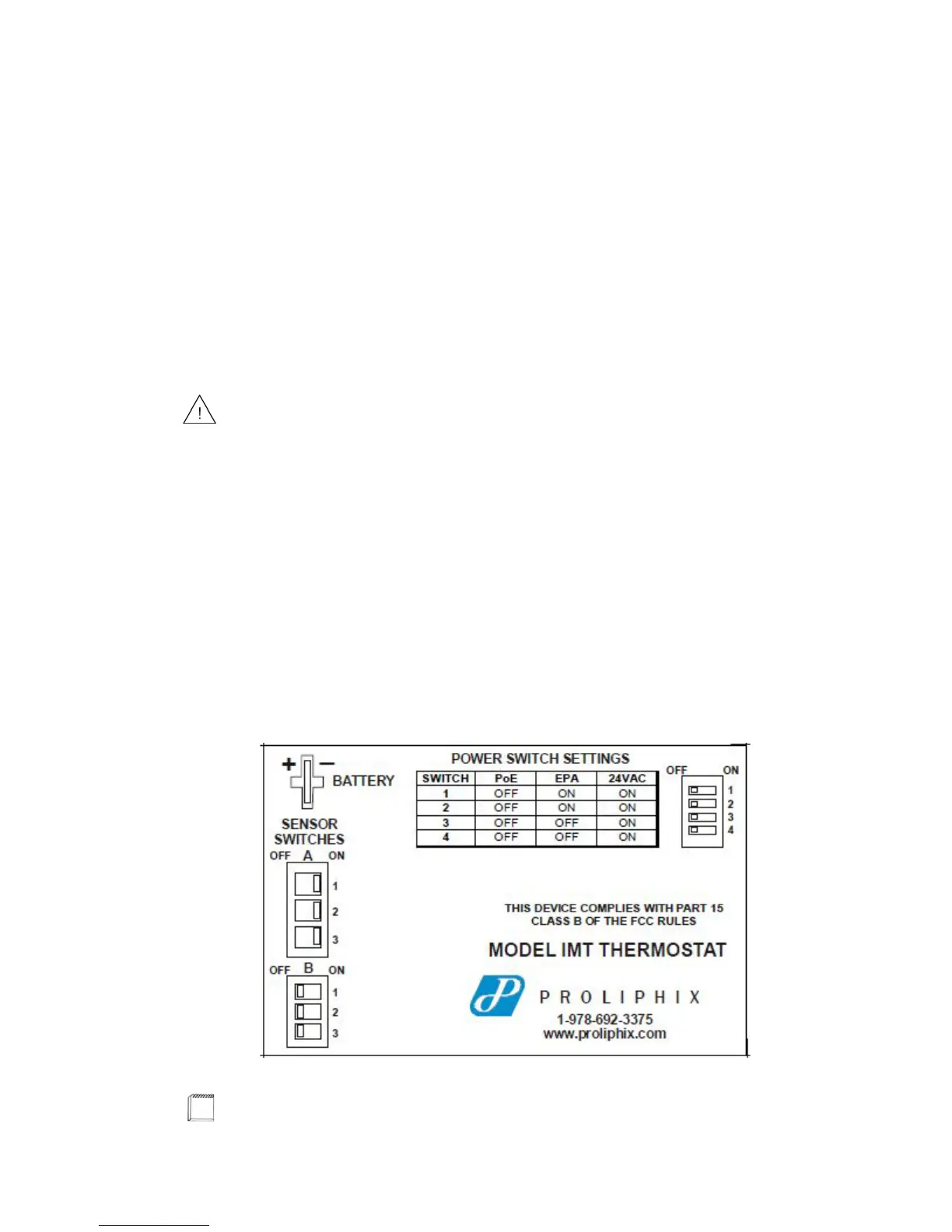
The IMT 550 supports thermistor-type sensors and contact-closure sensing. Ensure
that switches A1/A2/A3 are in the ON position, and switches B1/B2/B3 are in the
OFF position. Figure 5 shows an example of all A sensor switches set to ON and B
sensor switches set to OFF.
Figure 5 shows and example of sensor switch settings.
Figure 5 Sensor Switch Settings - Base Plate Label
To avoid damage to the Proliphix base plate, stop unscrewing the terminal post
screws when you feel a slight stop or resistance.
Only one sensor can be connected to each port.



 To Next Page