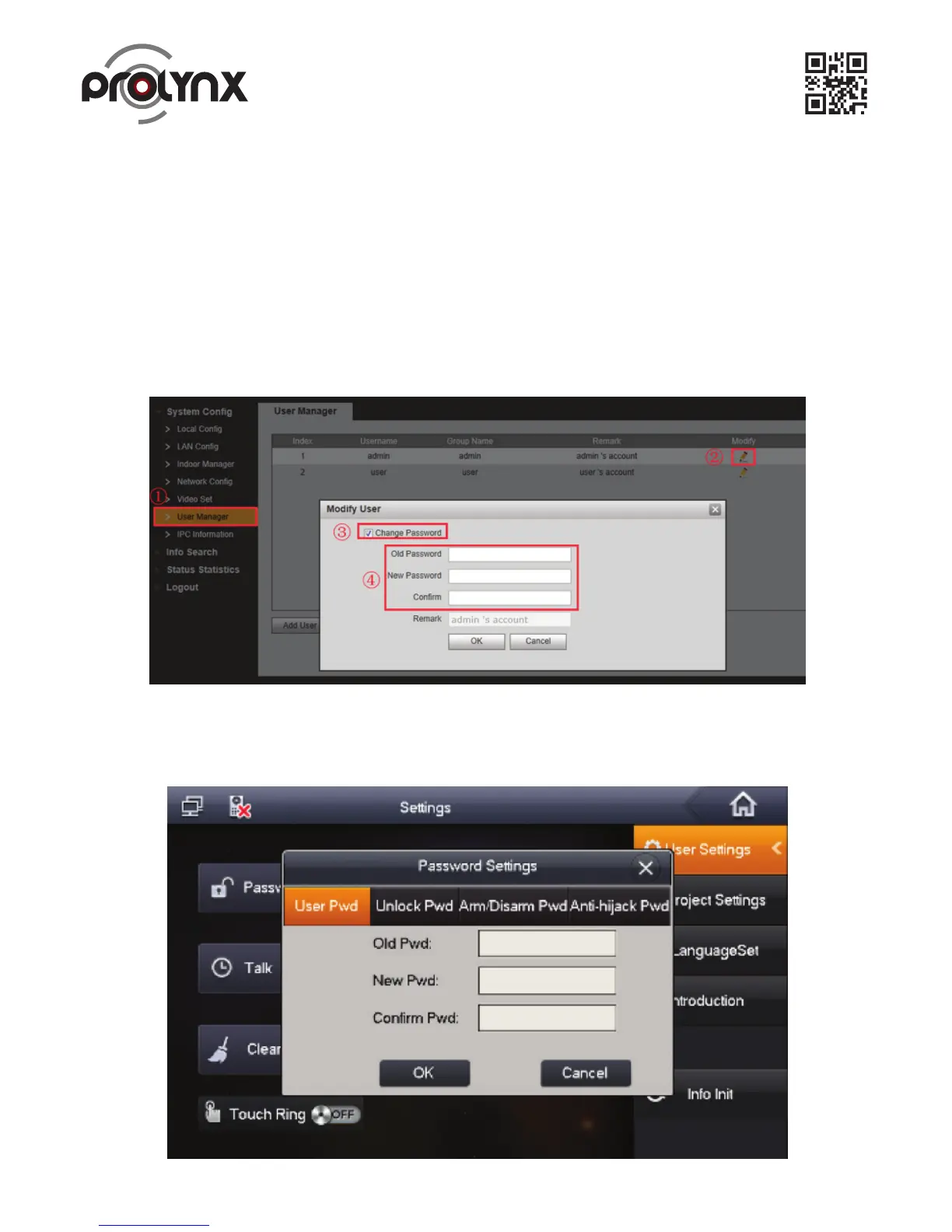
Figure 2- 1.
Figure 2- 2. 4
The Outdoor Station default IP address is 192.168.1.110. The default WEB account is
User name: admin, password: admin.
The Indoor Monitor default IP address is 192.168.1.109, the project password is 002236.
After the connection, please make sure the Indoor Monitor and Outdoor Station connection are OK.
Please change the default password after your first login.
2. General Settings
Please refer to Figure 2 1 to change Outdoor Station password.
Please refer to Figure 2.2 to change account password, open door password, arm/disarm password,
anti-hijack password of the Outdoor Station (Settings->Password).
2.1 Change Default Password


 To Next Page