6
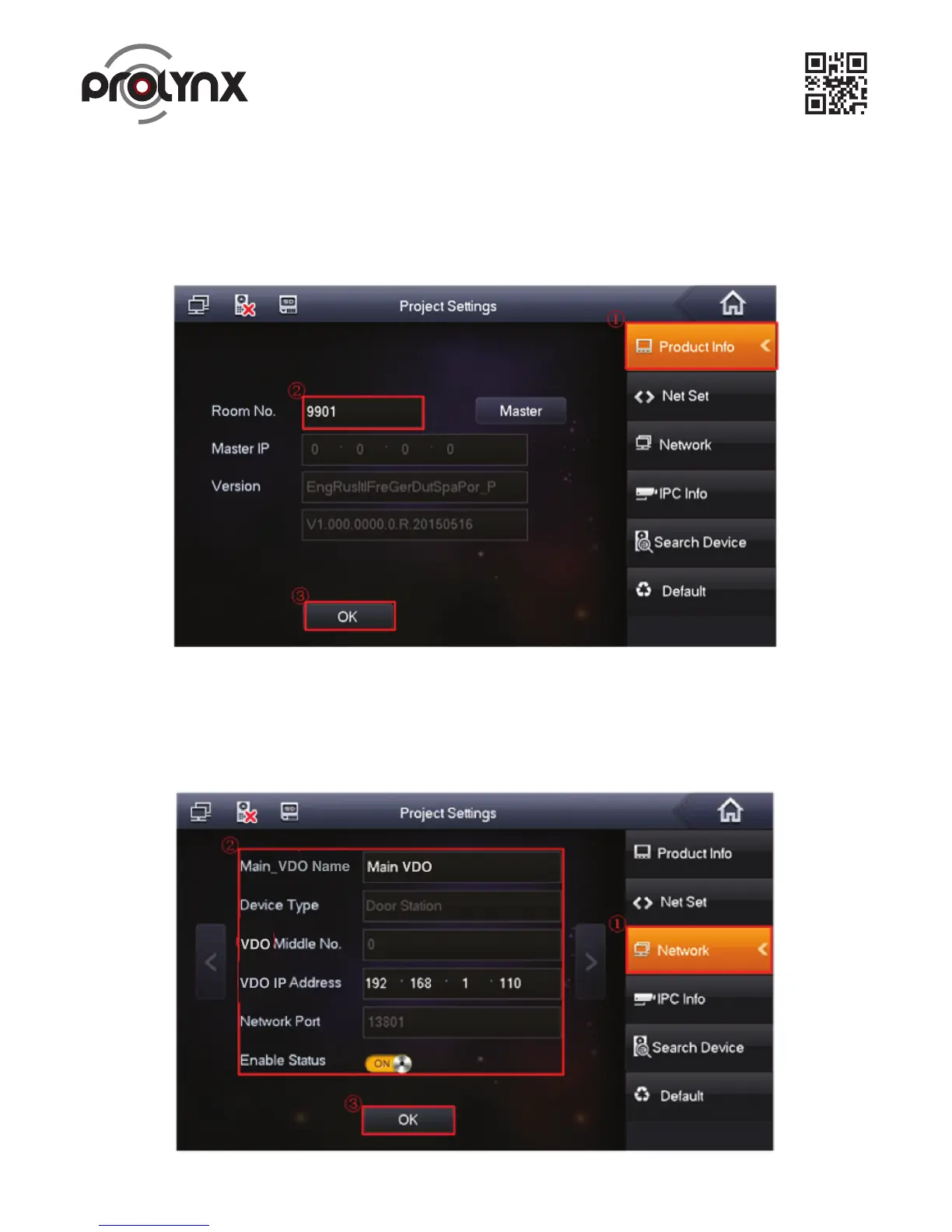
Figure 2-7.
Figure 2- 8.
a) On the main Indoor Monitor menu, from System->Project, you can input project password
002236 to go to the project setup interface.
b) Set current Indoor Monitor as the master Indoor Monitor. See Figure 2-7.
2.3 Master Digital Indoor Monitor Settings
c) Click Network on the right pane, and then input master Outdoor Station name, IP address and
enable current function.
Note: Click to go to the extension Outdoor Station interface; you can set extension Outdoor Station
information. You can set several extension Outdoor Stations at the same time. See Figure 2-8.


 To Next Page