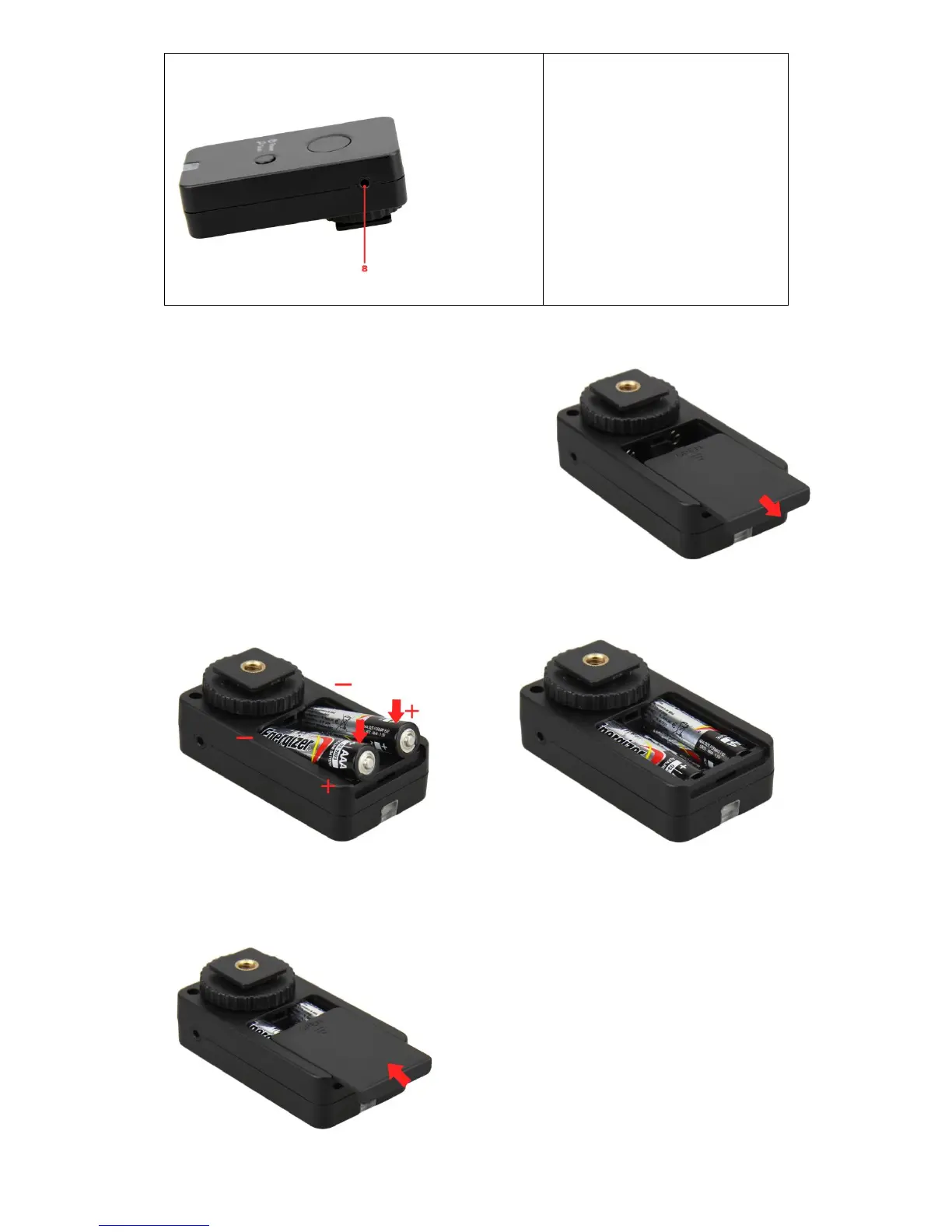
Replacing the batteries
1. To remove the battery cover, slide the cover in
the direction of the “OPEN” sign.
2. Insert the fresh batteries. Be sure to install the
batteries in the correct orientation following the
diagram inside the battery compartment.
Installing the batteries in the reverse direction as
this could cause the batteries to leak corrosive
liquids, generate heat or explode.
3. Replace the battery cover in the reverse direction of the “OPEN” sign.


 To Next Page