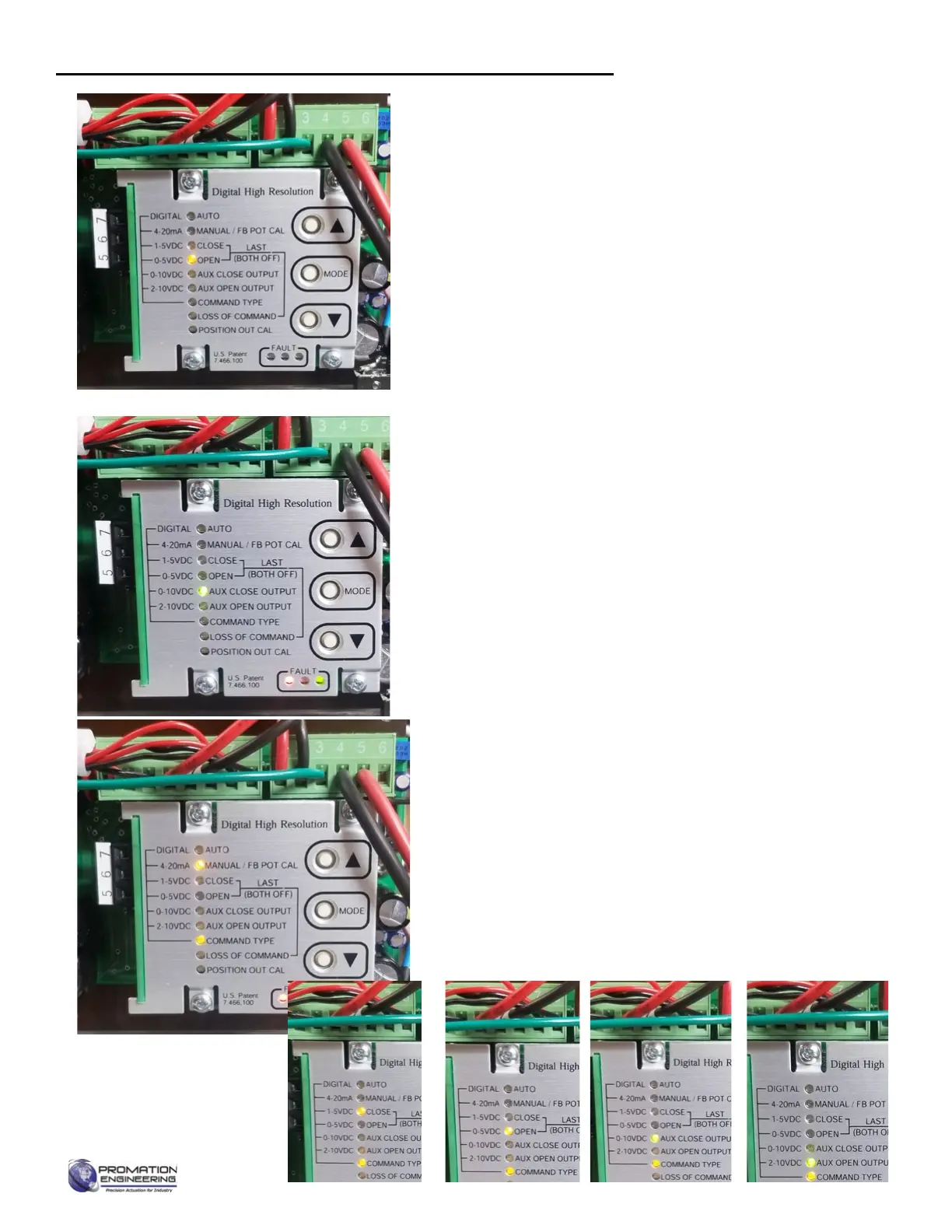
6. Set Open (CCW) Position (OPEN LED is lit)
6.A The motor will drive to approximately the 75% position.
6.B Use the handwheel or the ▲ and ▼ to position the
actuator in the desired OPEN position (i.e. 20 mA).
(Youmusttoucheither▲or▼beforethehandwheel
responds).
6.C Press MODE to conrm setting. This will also move
you to the next user input setting.
6.D This OPEN position is now set.
6.E If the AUX OPEN OUTPUT LED is lit, ignore it.
6.F AUX CLOSE OUTPUT is lit.
The motor may drive an arbitrary position.
7. Aux Close Output Settings (AUX CLOSE OUTPUT is lit)
7.A This feature requires an additional optional board.
7.B Press MODE to skip.
7.C AUX OPEN OUTPUT is lit.
The motor may drive an arbitrary position.
8. Aux Open Output Settings (AUX OPEN OUTPUT is lit)
8.A This feature requires an additional optional board.
8.B Press MODE to skip
8.C COMMAND TYPE LED is lit.
9. Set Input Signal (COMMAND TYPE LED is lit)
9.A Use▲and▼toselectthecommandsignaltypegoing
into the DHC-100 board from the column left of the
LEDs.
• 4-20mA (factory setting)
• 1-5VDC
• 0-5VDC
• 0-10VDC
9.B Press MODE to set Input Signal
Calibrating the proportional control board (continued)
Page 10 of 17 P2/3 12V 24DC Proportional Series
FM_P28 24 PN4-DC Ver E 080223


 To Next Page