Glossary
TERM DESCRIPTION
Mutual Consent This is accessed from the User Tokens tab on the Settings screen. When it is set to on all users in an activity must agree to an
action before it can be performed.
Passcode A four number code that is entered into a dialog window when passcode security is on in the Settings screen. The dialog
window only appears when certain screens or functions are accessed.
Power Supply
Cord
A length of electrical cable with a plug at either end used to connect the ActivTable to the mains electricity supply.
QR Code A matrix barcode used to allow quick access to Promethean websites by scanning the code with a suitable device.
Resizing The action of touching the screen with two or more ngers and moving them away or towards one another to enlarge or
shrink the object.
Rotating The action of touching an object with one or more ngers and dragging in a circular motion to rotate the object. Can also be
applied to spin the circle of buttons on the Main Menu or Activities and Applications screens.
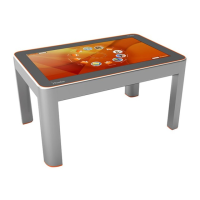
Screen The viewable area of the ActivTable that users can interact with.
Screen Rotate
button
A button that when touched will rotate the screen 180 degrees.
Scrolling The action of touching a list of items on the screen and dragging up and down to display more items in the list.
Sub Screen A screen accessed when a button is touched on the Main Menu screen. Sub screens can give access to further sub screens.
Teacher Menu The Teacher Menu gives the teacher additional options during an activity. The menu contains six buttons; Add User, Q&A, Lock
Table, QR Code, Volume Control and Exit. The Teacher Menu is accessed by touching the Teacher Menu button when in an
activity.
Tool An item opened from the Toolstore during an activity that allows the user to interact with the activity.
Toolstore A strip of tools that appears above a User Token when the token is touched. Tools can be dragged onto the activity from the
Toolstore. You can also touch the tool and then touch the Use button that appears at the bottom.
Touch The method used to interact with the screen to select a button.
USB Device A piece of equipment that can be attached to the ActivTable via one of the USB connectors on the connectivity panels.
USB Key A USB device that has been congured as a USB key on the Settings screen. When inserted, the USB key allows access to
restricted areas of the system.
User Group A collection of Users, created on the Users and User Groups screen.
User Token A circular image that represents the user on the screen.
Users Participants who are involved in an Activity on the ActivTable.


 To Previous Page