
 Need help?
Do you have a question about the PROMETHEUS PRO-7 and is the answer not in the manual?
Details the programming keys (MODE, UP, DOWN, LEFT arrows) and the digital controller's display for temperature settings.
Describes turning the kiln ON, initiating programming by pressing MODE, and adjusting target temperature using arrow keys.
Explains how to stop the heating process by switching the kiln to the OFF position.
Provides essential safety tips including restarting programming, safe placement, using gloves, and vehicle transport precautions.
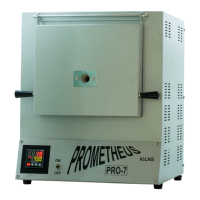
The Prometheus PRO-7 is a multi-functional kiln designed for various heating applications. It is equipped with a digital controller that allows users to set and monitor the internal temperature, making it suitable for tasks requiring precise heat control. The kiln is compact and designed for ease of use, featuring a simple ON-OFF switch and intuitive programming keys.
The Prometheus PRO-7 kiln serves as a heating chamber for materials that require high temperatures. Its primary function is to heat materials to a user-defined target temperature, which is then maintained by the digital controller. The kiln displays both the current internal temperature and the set target temperature, providing real-time feedback to the user. The "MULTI FUNCTIONAL KILN" designation suggests its versatility for various applications, potentially including metal clay firing, ceramics, enameling, or other heat-treatment processes. The robust construction and high maximum temperature capability indicate its suitability for professional and hobbyist use in fields requiring controlled thermal processing.
The Prometheus PRO-7 kiln comes with a set of key technical specifications that define its operational capabilities:
These specifications highlight the kiln's capacity and power requirements. The 7.3-liter volume provides a decent internal space for various projects, while the 1100 °C maximum temperature allows for a wide range of high-temperature applications. The availability of both 110V and 220V models ensures compatibility with different electrical systems.
Operating the Prometheus PRO-7 kiln involves a straightforward process:
The programming interface is designed to be user-friendly, allowing for precise temperature control. The real-time display of both current and target temperatures ensures that users can monitor the heating process effectively.
While the manual does not explicitly detail maintenance features, it provides crucial "IMPORTANT INFORMATION" that can be considered part of proper usage and care, which indirectly contributes to the longevity and performance of the kiln:
These guidelines emphasize safety and proper handling, which are essential for maintaining the kiln's condition and ensuring safe operation. The robust construction, as implied by the weight and overall design, suggests a durable device, but adherence to these operational and safety instructions is key to its long-term performance. The digital controller, being a critical component, benefits from the clear programming instructions and error correction advice provided.
 General
| Brand | PROMETHEUS |
|---|---|
| Model | PRO-7 |
| Category | Controller |
| Language | English |

 To Next Page