Setup menu operation
Title: DVD Video discs are usually divided into several numbered sections called titles.
Chapter: A title comprises smaller numbered sections called chapters.
• Playing the DVD Player
!. Press the 'INPUT' button to select 'DVD' mode, if no disc is inserted yet, the display shows 'No Disc'.
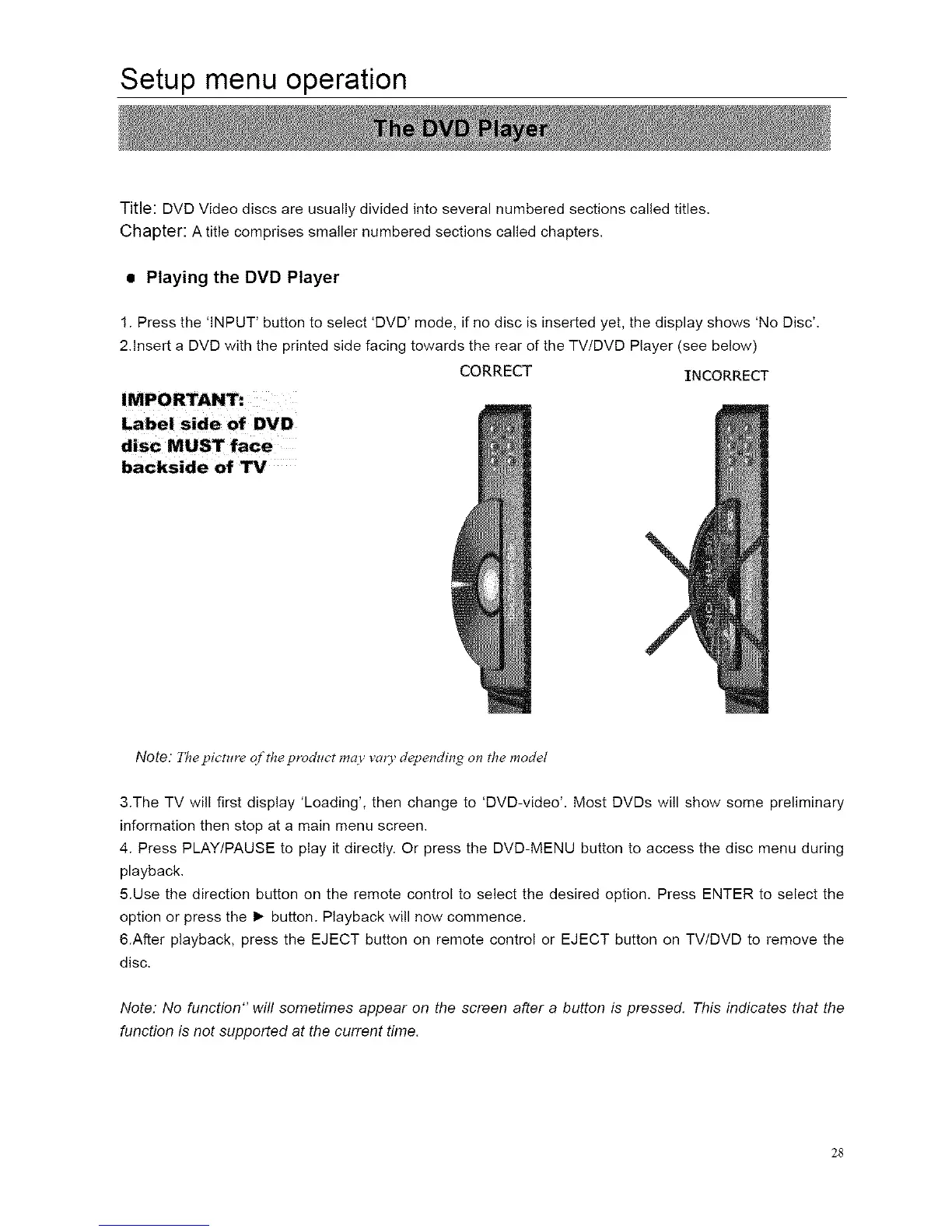
2.Insert a DVD with the printed side facing towards the rear of the TV/DVD Player (see below)
CORRECT INCORRECT
backside of W
Note: The picture of the product may vary depending on the model
3.The TV will first display 'Loading', then change to 'DVD-video'. Most DVDs will show some preliminary
information then stop at a main menu screen.
4. Press PLAY/PAUSE to play it directly. Or press the DVD-MENU button to access the disc menu during
playback.
5.Use the direction button on the remote control to select the desired option. Press ENTER to select the
option or press the I_ button. Playback will now commence.
&After playback, press the EJECT button on remote control or EJECT button on TV/DVD to remove the
disc.
Note: No function" will sometimes appear on the screen after a button is pressed. This indicates that the
function is not supported at the current time.
28














 To Next Page