Selecting a location for the TV
1)Place TV on an open bench in a location where light does not directly hit the screen.
2)Place TV far enough from the walls to allow proper ventilation. Inadequate ventilation may cause
overheating, which may damage the TV.
NOTE: Please contact local dealer for wall mounting.
Preparation for using your new TV
Learning about your TV
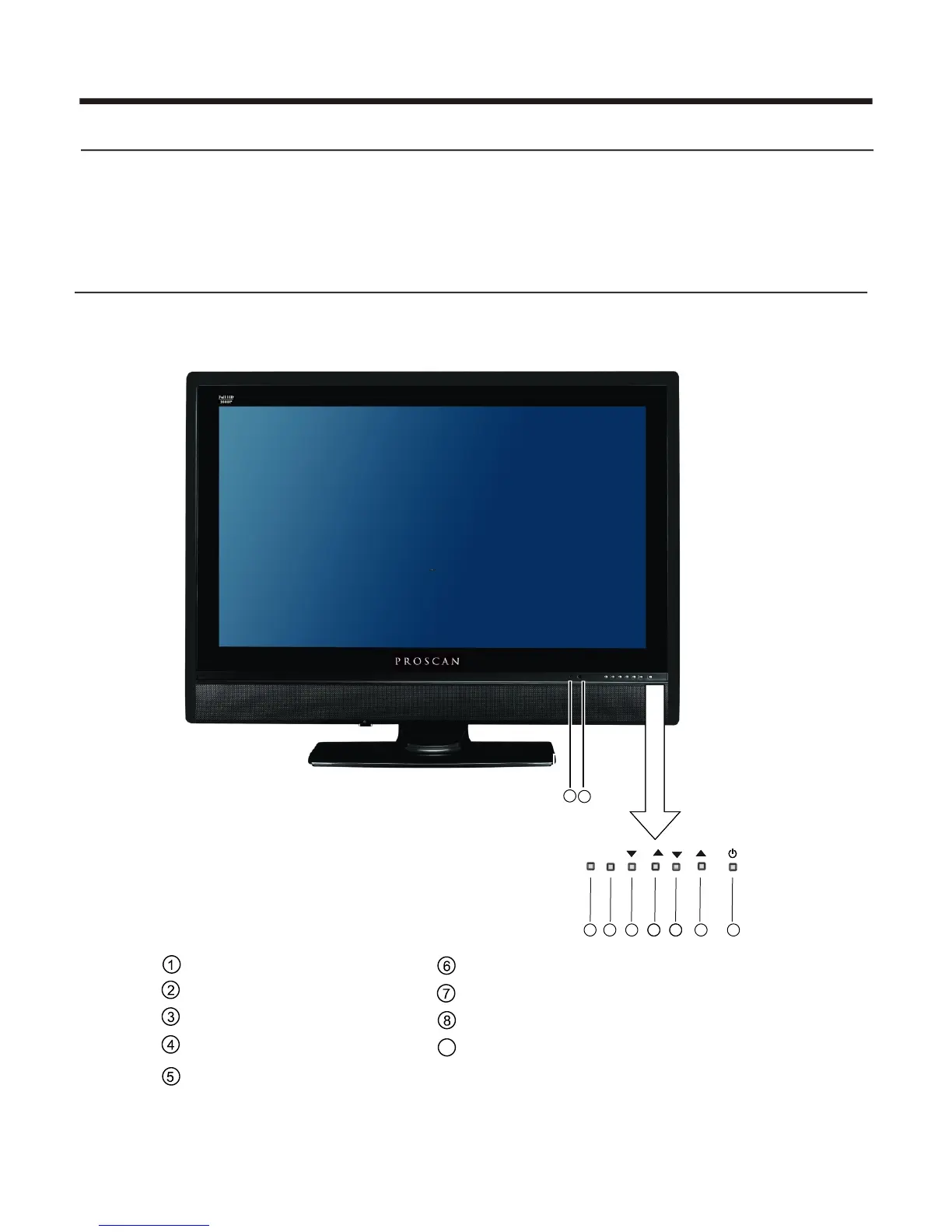
You can operate your TV via the buttons in the front cabinet or the remote control. The terminals in
the back cabinet provide all the connections from other equipments to your TV.
Front Cabinet
Menu button
Remote sensor
Volume up
Volume down
- 4 -
Power indicator
Input selecting button
Channel down
Channel up
Power(standby)
2
1
5
7
6
9
8
MENU
VOL
CH
INPUT
INDICATOR
IR WINDOW
3
4
9















 To Next Page