8
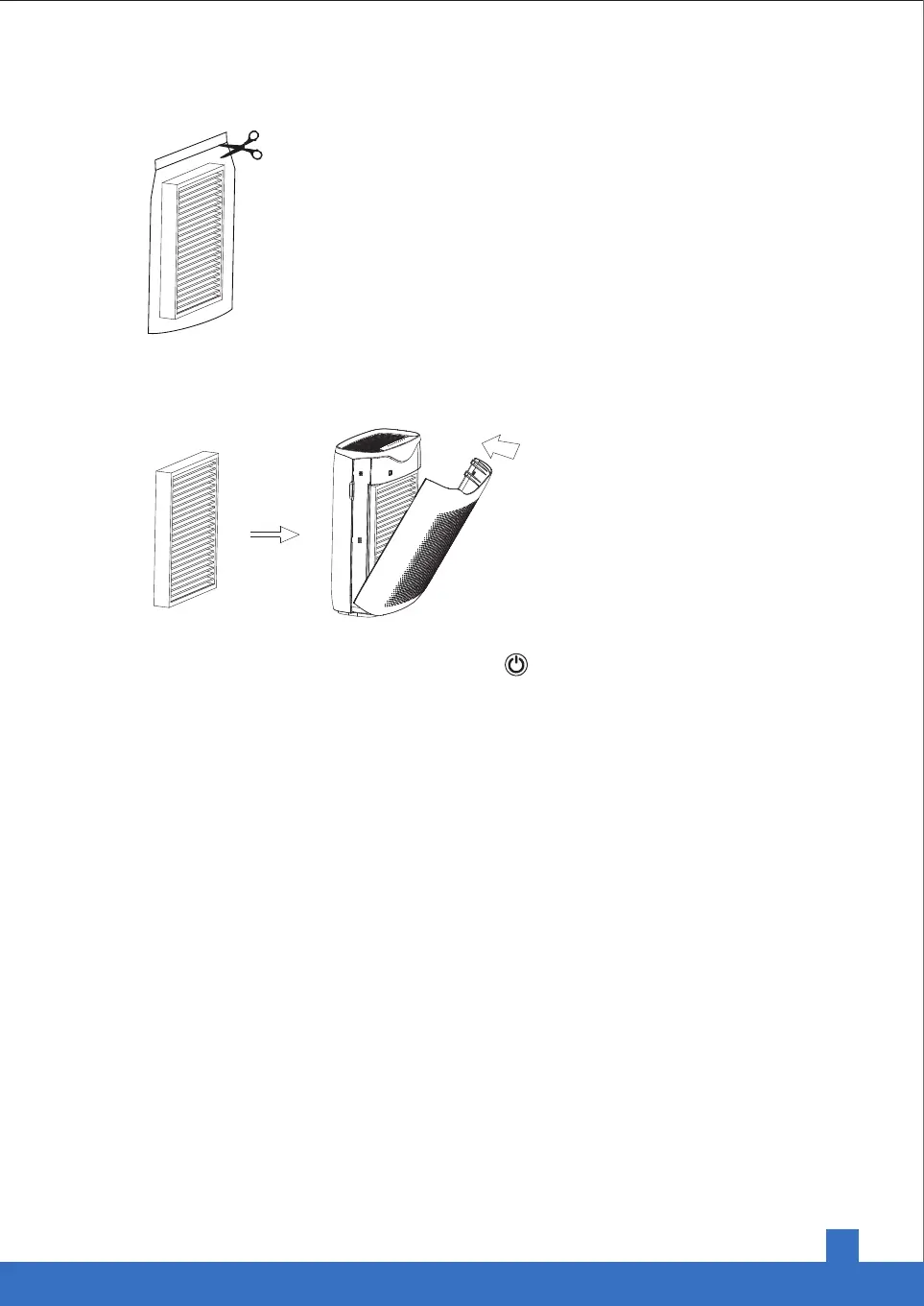
Take out the old filter by pulling the tab. Unwrap a new one.
Install a new filter in the unit. Make sure the pull-tab on the filter is facing outward and put the front
shell on.
pull tab
Power the unit on. Press and hold the On/Off Button for 5 seconds to reset the replacement
reminder.
Cleaning
Unplug the power cord before cleaning.
• Plastic housing should be cleaned with a soft cloth moistened with mild soap. Thoroughly remove
soap film with a dry cloth.
• Open the front panel and clean the interior and air outlet with a vacuum cleaner.
• For better maintenance, it’s recommended to clean the unit every 2 months.


 To Next Page