8
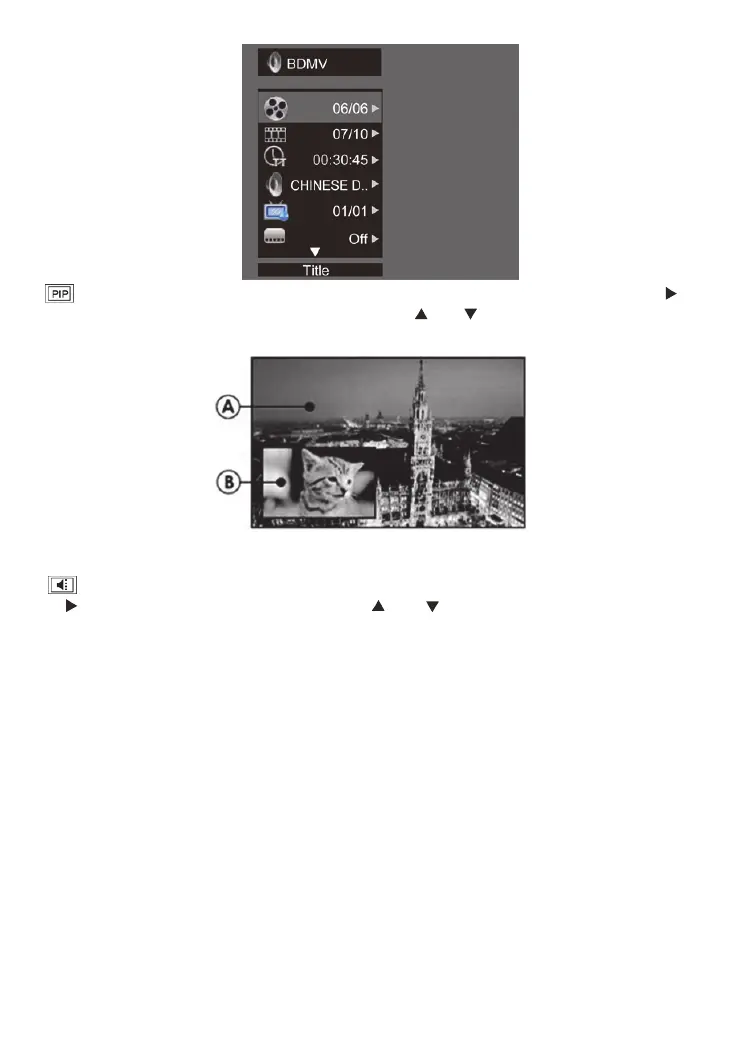
second video【BD-V】:Displays the state of the second Video. Use direction key【 】
to open the second video selection box, then press【 】/【 】to select the full screen video
and the second video window (picture in picture).
(A) Primary video (B) Secondary video
second Audio【BD-V】:Displays the state of the second Audio. Use the direction key
【 】to open the selection box, then press【 】/【 】to switch on/off the audio output.
Enjoy BD-LIVE
You can enjoy the BD-Live functions which enable you to use Interactive functions on the
disc when the unit is connected to the Internet.
Example of BD-Live Interactive functions:
1. Additional content (such as movie trailers, subtitles and BD-Java, etc.) can be
downloaded to a connected USB storage device.
2. Special video data may be played while being downloaded.
3. When a disc supporting BD-Live is played, the product or the disc’s ID can be sent to the
content provider via the Internet. Service and functions will differ depending on the disc.
Note
-The unit must be connected and set up to access Internet.
-Depending on the connection environment, it may take time to connect to the Internet.
-When BD-Live functions are used and the unit is connected to the Internet, your standard
Internet service provider charges will apply.
-Follow the instruction given by the disc when using the BD-Live function.
-It is recommended to use a USB storage device for download the content (at least 1GB
free space is recommended).


 To Next Page