EasyManua.ls Logo

ProScan PLDED3231A-RK - OSD Setup Wizard; Setup Wizard - Antenna Scan

ProScan PLDED3231A-RK
52 pages
Print Icon
To Next Page IconTo Next Page
To Previous Page IconTo Previous Page
Loading...
c. Press “c
c
/
d
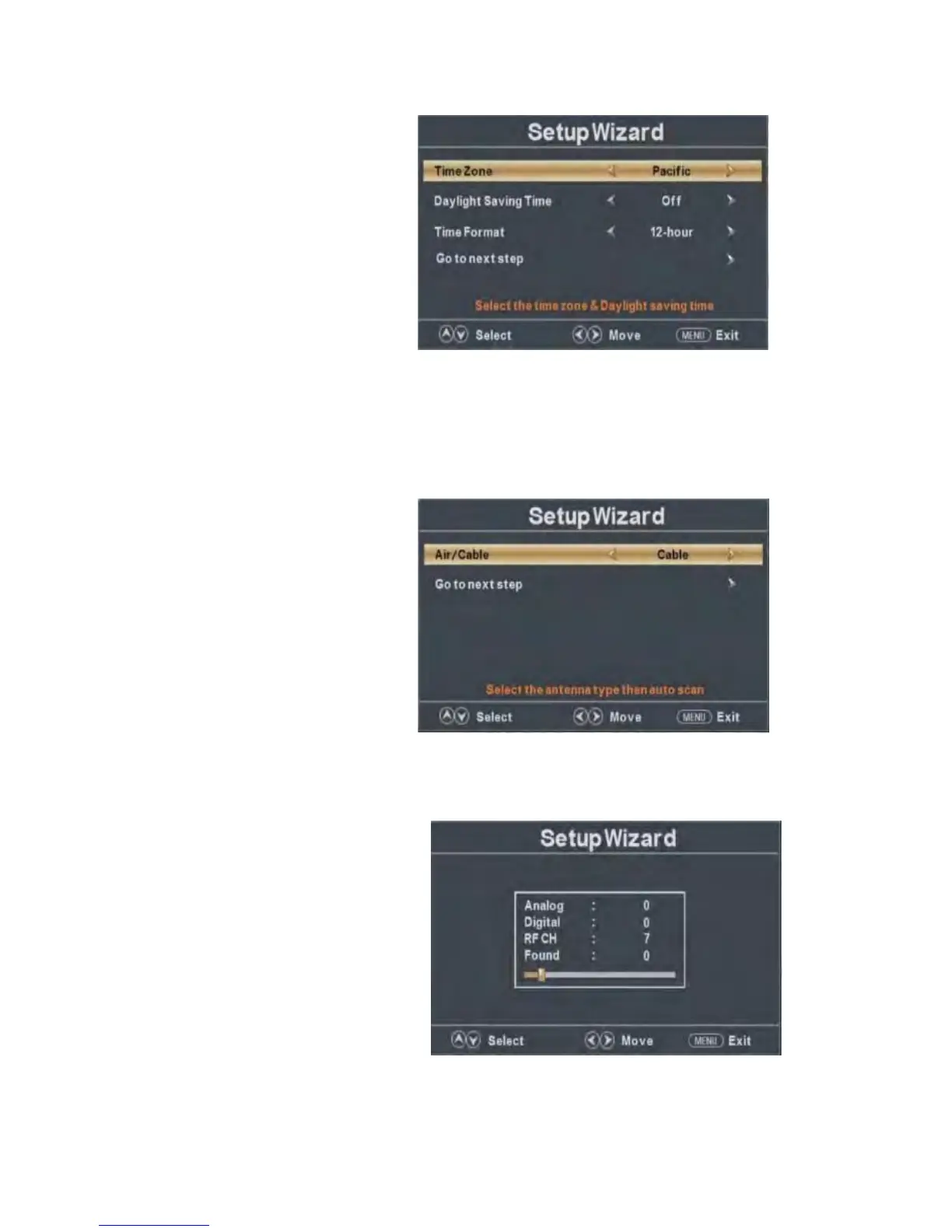
” button to select “Time Zone” and press the “e/f” button to select time zone.
d. Press “
c
/
d
” button to select “Daylight Saving Time” and press the “e/f” button to select
“On” or “Off”.
e. Press “
c
/
d
” button to select “Time Format” and press the “e/f” button to select “12-hour”
or “24-hour”.
f. Press “
c
/
d
” button to select “Go to next step” and press the “ENTER/f” button to enter next
step.
g. Pr
ess “
c
/
d
button to select
“Air/C
able”
and
pre
ss the “e/f” button to select “Air” or
“Cable”.
h. Press “
c
/
d
” button to select “Go to next step” and press the “ENTER/f” button to start auto
scan.
Note: Searching platform will take a long time. Please be patient!


Related product manuals