10
Introduction
AV EQUIPMENT
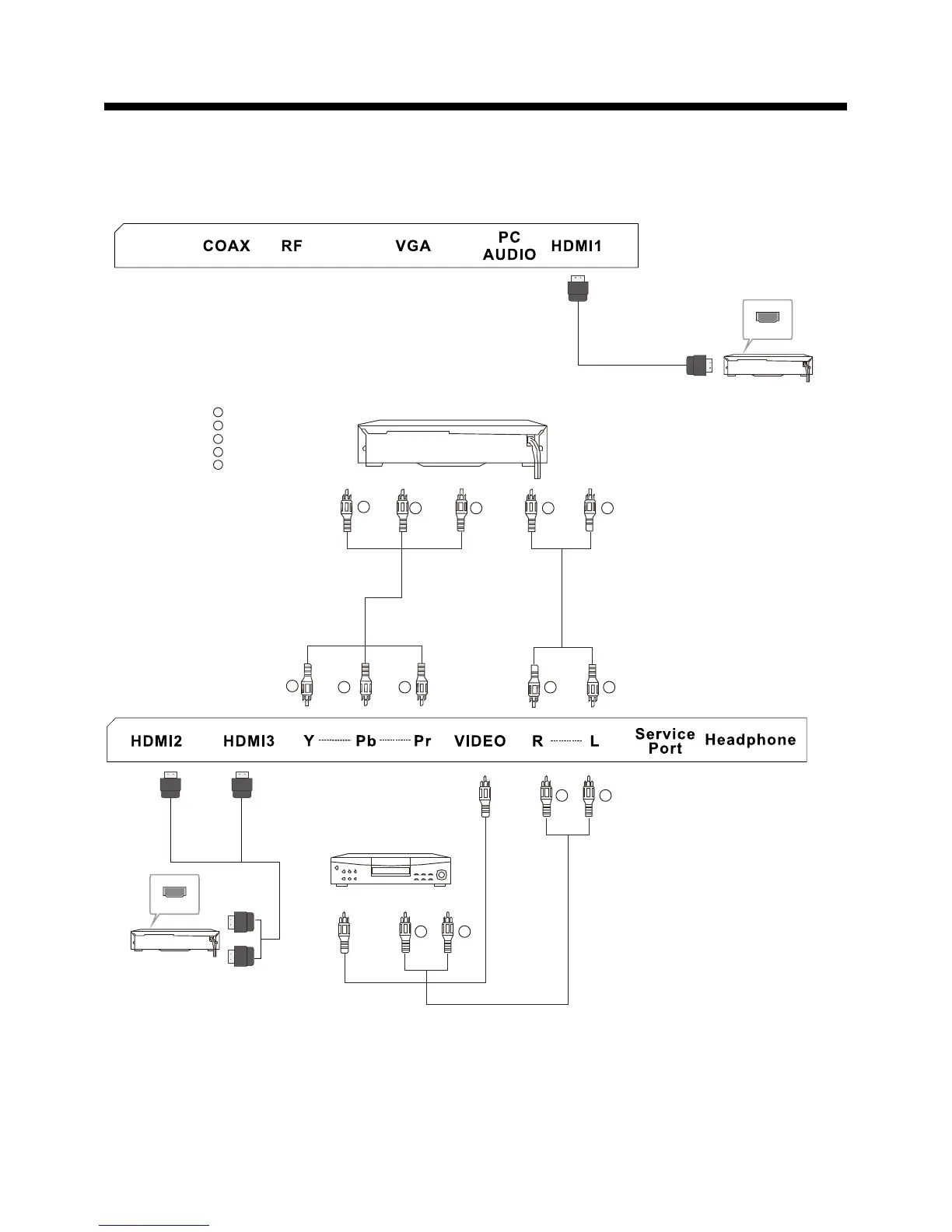
You can use the input terminals on the TV set as follow s.
HDMI
HDMI
Yellow (video)
White(audio L)
Red(audio R or Pr)
Y
W
R
Blue(Pb)
Green(Y)
B
G
VIDEO EQUIPMENT with YPbPr
G
B
R
W
R
W
R
W
R
G
B
R
TO AUDIO OUTPUTS
V ID E O E Q U I P M E N T
TO VIDEO
OUTPUTS
W
R
The television's inputs can be connected to the following types of equipment: VCR, DVD player,
camcorder, video game or stereo system, etc.....
YPbPr can support these video formats:480i,576i,480p,576p,720p,1080i.














 To Next Page