OSD Menu
15
Description
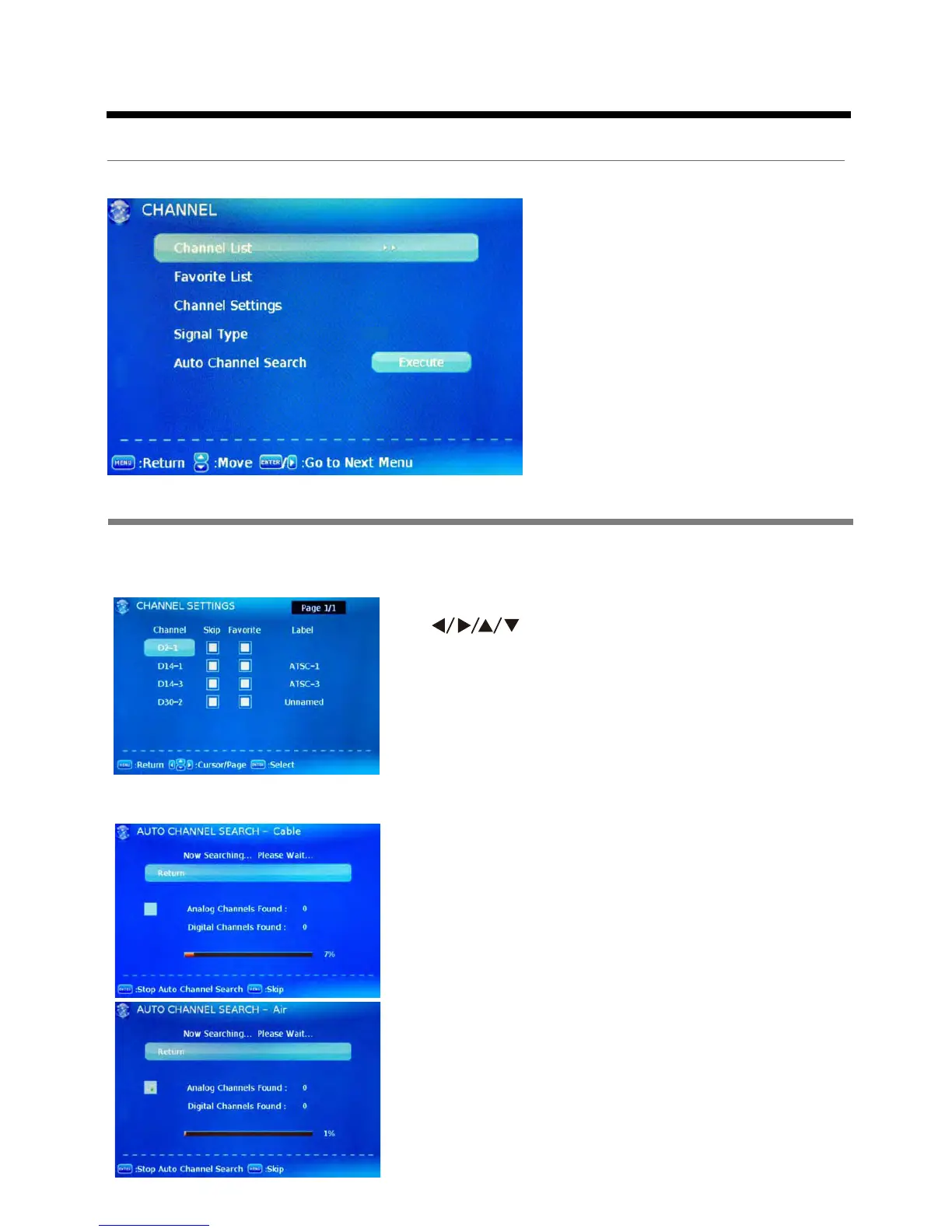
3. Channel menu
Channel List: Display the channel list.
Favorite List: Display the favorite channel list.
Channel Settings: Press > button to display the Channel Settings menu.
Signal Type: Allow you to select antenna between Air and Cable.
It will search analog channels first, then digital channels. The
receivable channels will be stored automatically.
* Before execute auto channel search, please confirm your
antenna type is Air or Cable. Wrong setting of Signal Type
maybe cause finding no channel.
Auto Channel Search: Press ENTER button to start auto channel search.
Press button to select the item, and press ENTER
button to change the setting.
Skip: Set the channel to be skipped when using CH+/CH- to
view channels.
Favorite: Set the channel to your favorite list.
Label: Rename label of the channel.
OSD Menu
Cable













 To Next Page