Main unit description
Contr
o
l Panel Button Function
TV T
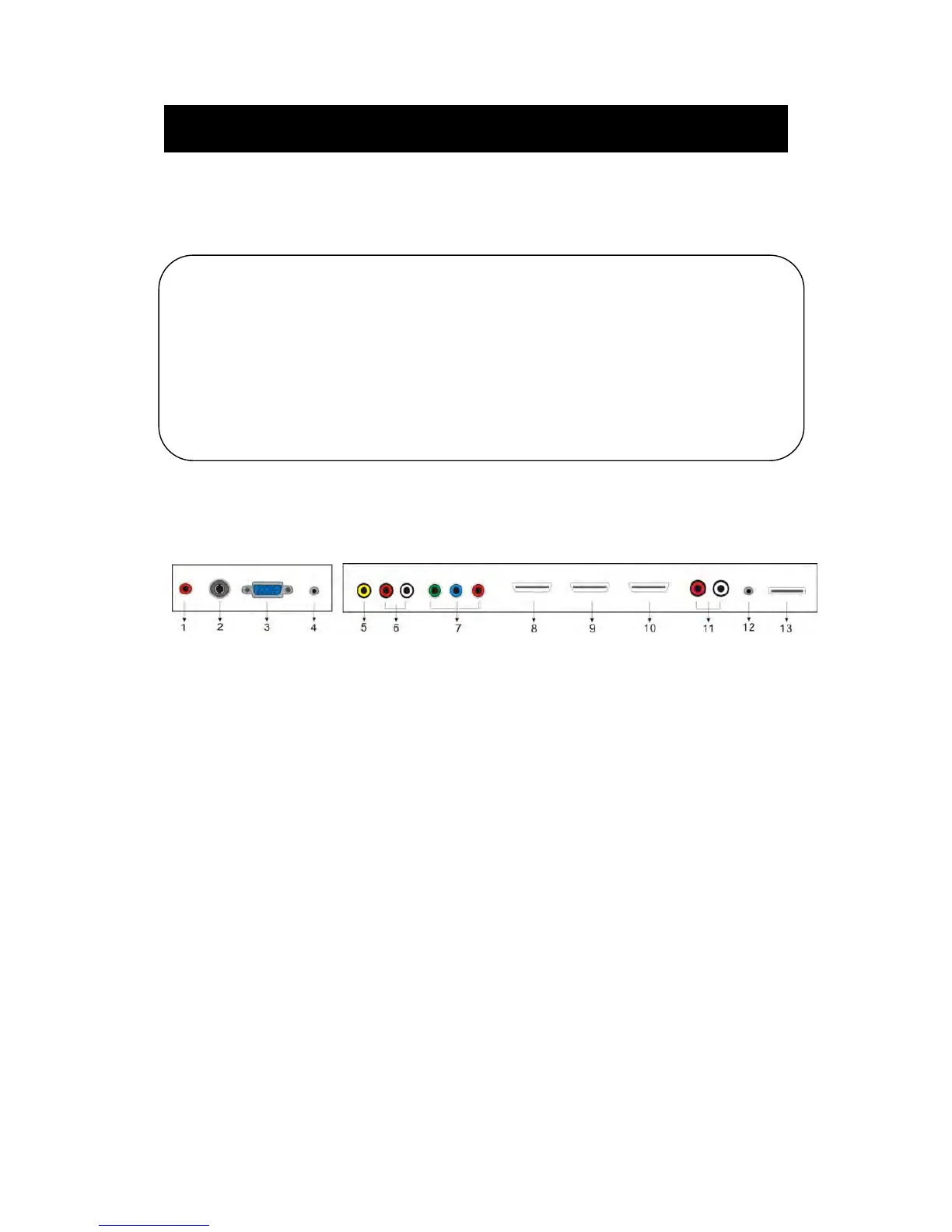
erminal Connections
1. Coaxial ou
t terminal.
2. RF antenna.
3. VGA input terminal of simulation signal of PC.
4. PC AUDIO input terminal.
5. Video input terminal.
6. AUDIO input terminal(Audio input terminal for Component and Video).
7. Component input terminal.
8. HDMI1 input terminal.
9. HDMI2 input terminal.
10. HDMI3 input terminal
11. Line out terminal.
12. EARPHONE out terminal.
13. USB input terminal(
Only be used to upgrade).
VOL+ : V
olume up.
VOL- : Volume down.
CH+ : TV channel up.
CH- : TV channel down.
MENU : Press to select the main menu.
TV/AV : Select the input signal.
POWER : Switch on when at standby mode or enter the standby mode.



 To Next Page