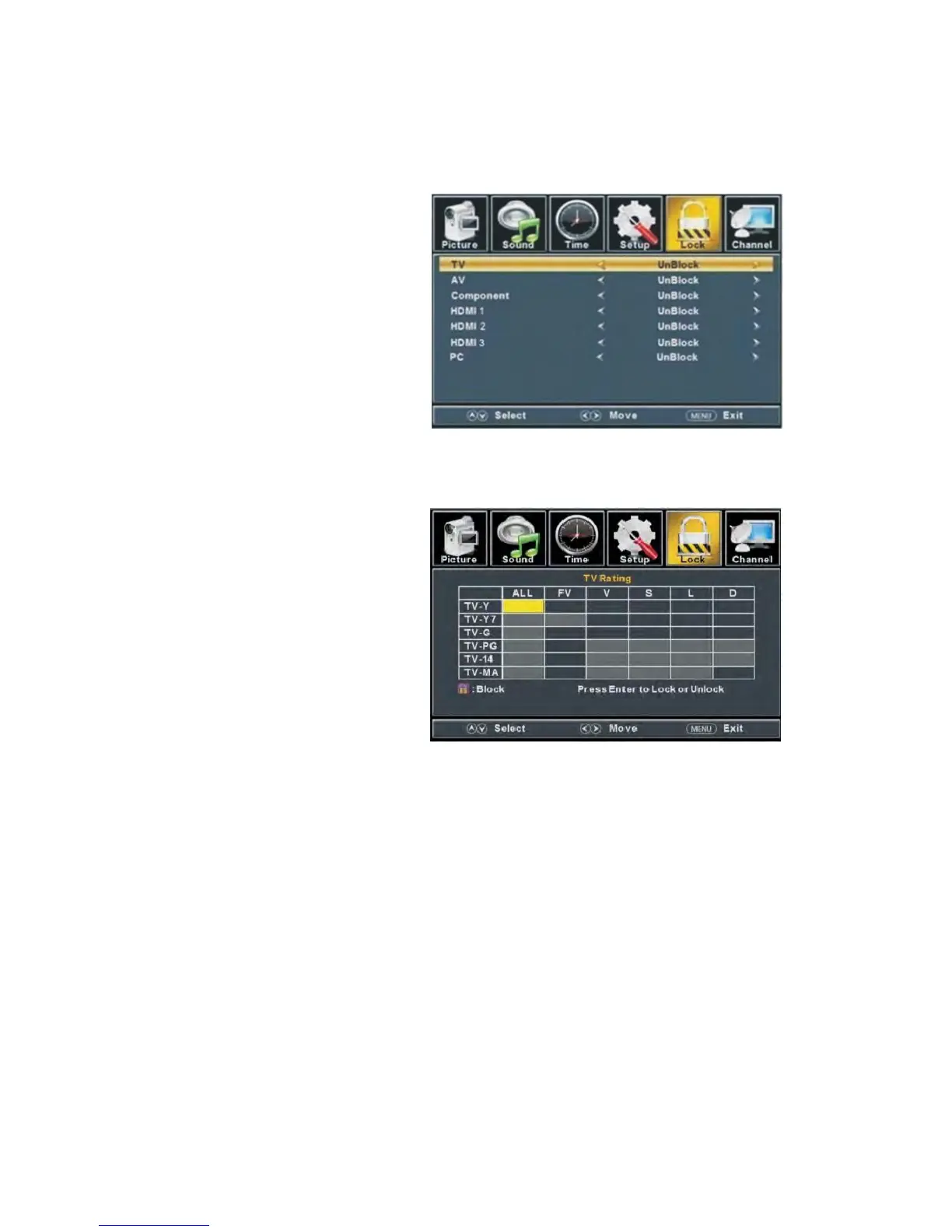
c. Press “/” button to select “Component” and press the “/” button to select
“Block” or “Unblock”.
d.
Press “/” button to select
“HDMI” and press the “/”
button to select “Block” or
“Unblock”.
e.
Press “/” button to select
“PC” and press the “/”
button to select “Block” or
“Unblock”.
f. Press “/” button to select
“Media” and press the “/”
button to select “Block” or “Unblock”.
5.
Press “/” b
utton to select “US Rating” and press “ENTER/” button to enter sub-menu.
a. Press “/” button to select “TV” and press “ENTER/” button to enter sub-menu.
Press “/” button to select and press “ENTER”to block or
unblock.
b. Press “/” button to select “MPAA” and press the “/” button to select
“Off/G/PG/PG-13/R/NC-17/X”.
6. Press “/” button to select “Canada Rating” and press “ENTER/” button to enter sub-menu.
a. Press “/” button to select “Canada English” and press the “/” button to select
“Off/C/C8+/G/PG/14+/18+”.
b. Press “/” button to select “Canada French” and press the “/” button to select
“Off/G/8ans+/13ans+/16ans+/18ans+”.
7. Press “/” button to select “RRT Setting” and press “ENTER/” button to enter sub-menu.
26



 To Next Page