EasyManua.ls Logo

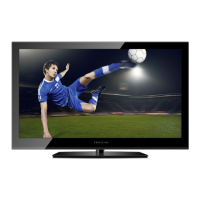
ProScan PLED2963A - User Manual

ProScan PLED2963A
73 pages
Print Icon
To Next Page IconTo Next Page
Loading...
USER’S MANUAL
PLED2963A-B
LED TV

Questions and Answers

  • M
    Monica SchwartzSep 12, 2025
    How to unblock channels on ProScan PLED2963A?
    • S
      Stephen MercadoSep 12, 2025
      To unblock channels on your ProScan TV, check your auto lock function's settings inside the OSD. You may have inadvertently locked some channels.
  • J
    Jonathan FarrellSep 9, 2025
    How to fix no sound on ProScan PLED2963A from PC?
    • H
      Heather StevensSep 9, 2025
      To fix no sound on your ProScan TV from a PC, ensure a 3.5 mm mini-jack cable is connected from your PC's sound output to the TV's VGA STEREO INPUT.
  • B
    Brianna LeeSep 8, 2025
    Why can't I get 1360x768 resolution on ProScan TV using PC VGA?
    • M
      Marcus SmithSep 8, 2025
      If you cannot get 1360x768 resolution on your ProScan TV using PC VGA, ensure the TV is recognized as a plug-and-play monitor. Try updating your video card's drivers. If that doesn't help, you may need to upgrade your video card.
  • K
    Kathryn PotterSep 7, 2025
    How to make picture cover the entire screen on ProScan PLED2963A?
    • M
      markmurilloSep 7, 2025
      If the picture on your ProScan TV does not cover the entire screen: * If using HDMI or a TV digital channel, use the ASPECT button to switch to 16:9 format. * If using VGA, use the AUTO ADJUST function. * If using regular analog TV, AV, or component in 480i resolution, use the ASPECT button to switch to 16:9 to fill the screen (note: this may distort the picture).
  • A
    Aaron TylerAug 23, 2025
    How to fix no picture on ProScan PLED2963A TV?
    • M
      Mallory MayAug 23, 2025
      If there is no picture on your ProScan TV, ensure the power cord is correctly connected and the power is turned on. Also, verify that the video cable is properly connected. Use the source button to select the input signal source that corresponds to your cable connection.
  • E
    erikclarkSep 5, 2025
    Why does switching channels or sources change the volume on my ProScan TV?
    • C
      carsonnatalieSep 5, 2025
      Switching channels or sources can change the volume on your ProScan TV because different channels and inputs may have varying signal volumes. To mitigate this, ensure the TV's AUTO VOLUME LEVEL function is turned on.
  • J
    Jason HillSep 4, 2025
    Why does my ProScan PLED2963A TV HDCP video have no audio?
    • S
      Scott McdonaldSep 4, 2025
      If your ProScan TV's HDCP video has no audio, ensure a 3.5 mm mini-jack cable is connected from your HDCP video device's sound output to the TV's VGA STEREO INPUT. If your HDCP video device uses RCA AUDIO jacks, you'll need an RCA audio converter to a 3.5 mm mini-jack cable.
  • J
    Julie KimSep 3, 2025
    Why is the picture distorted or has abnormal sound on my ProScan PLED2963A TV?
    • F
      fhuffmanSep 3, 2025
      Distorted picture or abnormal sound on your ProScan TV might be due to interference from large electrical appliances, cars, motorcycles, or fluorescent lights. If the TV is close to the wall, try moving it to another room to see if the problem persists.
  • E
    Elizabeth MeyersSep 2, 2025
    How to brighten the picture on a ProScan TV if it's too dark?
    • B
      Benjamin KentSep 2, 2025
      If the picture on your ProScan TV is too dark, adjust the contrast, brightness, and lamp settings from the OSD Menu. These controls will help you brighten the picture.
  • J
    Jason ByrdSep 1, 2025
    Why ProScan PLED2963A cannot receive sufficient channels through the ATSC/NTSC tuner?
    • C
      Caroline MartinezSep 1, 2025
      If your ProScan TV cannot receive sufficient channels through the ATSC/NTSC tuner, change the direction of your antenna and rescan your channels. If you have cable, contact your cable company to ask about the signal strength of your local cable, as the TV's tuner signal must not be lower than 65.

ProScan PLED2963A Specifications

General IconGeneral
Screen Size29 inches
Resolution1366 x 768
Display TypeLED
HDMI Ports3
USB Ports1
Aspect Ratio16:9
Refresh Rate60 Hz
Sound Output10W
Power Consumption45W
InputsHDMI, USB

Related product manuals