EasyManua.ls Logo

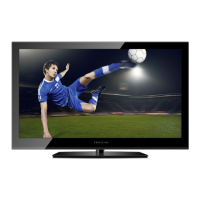
ProScan PLED2963A - User Manual

ProScan PLED2963A
73 pages
Print Icon
To Next Page IconTo Next Page
Loading...
USER’S MANUAL
PLED2963A-B
LED TV

Questions and Answers

  • O
    opalmerAug 30, 2025
    What to do if ProScan PLED2963A TV has audio but no picture?
    • M
      Mary LeeAug 31, 2025
      If your ProScan TV has audio but no picture, make sure both your video and audio cables are connected properly. Also, the TV's tuner signal must not be lower than 65.
  • D
    Dana CainAug 29, 2025
    What to do if ProScan TV has picture but no audio?
    • W
      williamschristopherAug 29, 2025
      If your ProScan TV shows a picture but has no audio, first ensure the audio cable is properly connected. Next, readjust the volume using the remote control. Also, the TV's tuner signal must not be lower than 65.
  • S
    Sheri MartinAug 28, 2025
    Why does my ProScan PLED2963A TV turns on or off slowly?
    • H
      Hannah HowardAug 28, 2025
      Your ProScan TV is a High Definition liquid crystal display panel TV, and it requires a few more seconds than normal TVs to power up and display the picture.
  • S
    steven70Aug 27, 2025
    How to fix no color on ProScan TV?
    • R
      Robert BakerAug 27, 2025
      To fix a 'no color' issue on your ProScan TV, adjust your picture settings and ensure that the saturation and RGB settings are not turned all the way down. Also, check your signal; the TV's tuner signal must not be lower than 65.
  • B
    Brenda RichmondAug 27, 2025
    How to fix abnormal colors on ProScan TV?
    • K
      Kristi WhiteAug 27, 2025
      To correct abnormal colors on your ProScan TV, ensure that the colors on the cables match the ports on the back of the TV. For example, connect the red cable to the red-colored port.
  • M
    mnguyenAug 25, 2025
    What to do if ProScan PLED2963A shows weak signal or no program symbol?
    • J
      Jordan HartAug 26, 2025
      If your ProScan TV displays a weak signal or no program symbol, change the direction of your antenna and rescan your channels. If you have cable, contact your cable company to inquire about the signal strength of your local cable.
  • J
    Jacqueline WilliamsAug 25, 2025
    What to do if the ProScan PLED2963A remote control does not work?
    • M
      Matthew RobertsAug 25, 2025
      If your ProScan TV remote control isn't working, try these steps: Turn off the TV and unplug it. Remove the batteries from the remote for 30 minutes. Press the remote buttons and the power button randomly for about 2 seconds, then reinstall the batteries. Also, ensure there is a clear line of sight between the remote's front sensor and the TV's remote sensor, which is located near the power indicator light.

ProScan PLED2963A Specifications

General IconGeneral
Screen Size29 inches
Resolution1366 x 768
Display TypeLED
HDMI Ports3
USB Ports1
Aspect Ratio16:9
Refresh Rate60 Hz
Sound Output10W
Power Consumption45W
InputsHDMI, USB

Related product manuals