User Manual
8
Home Screen
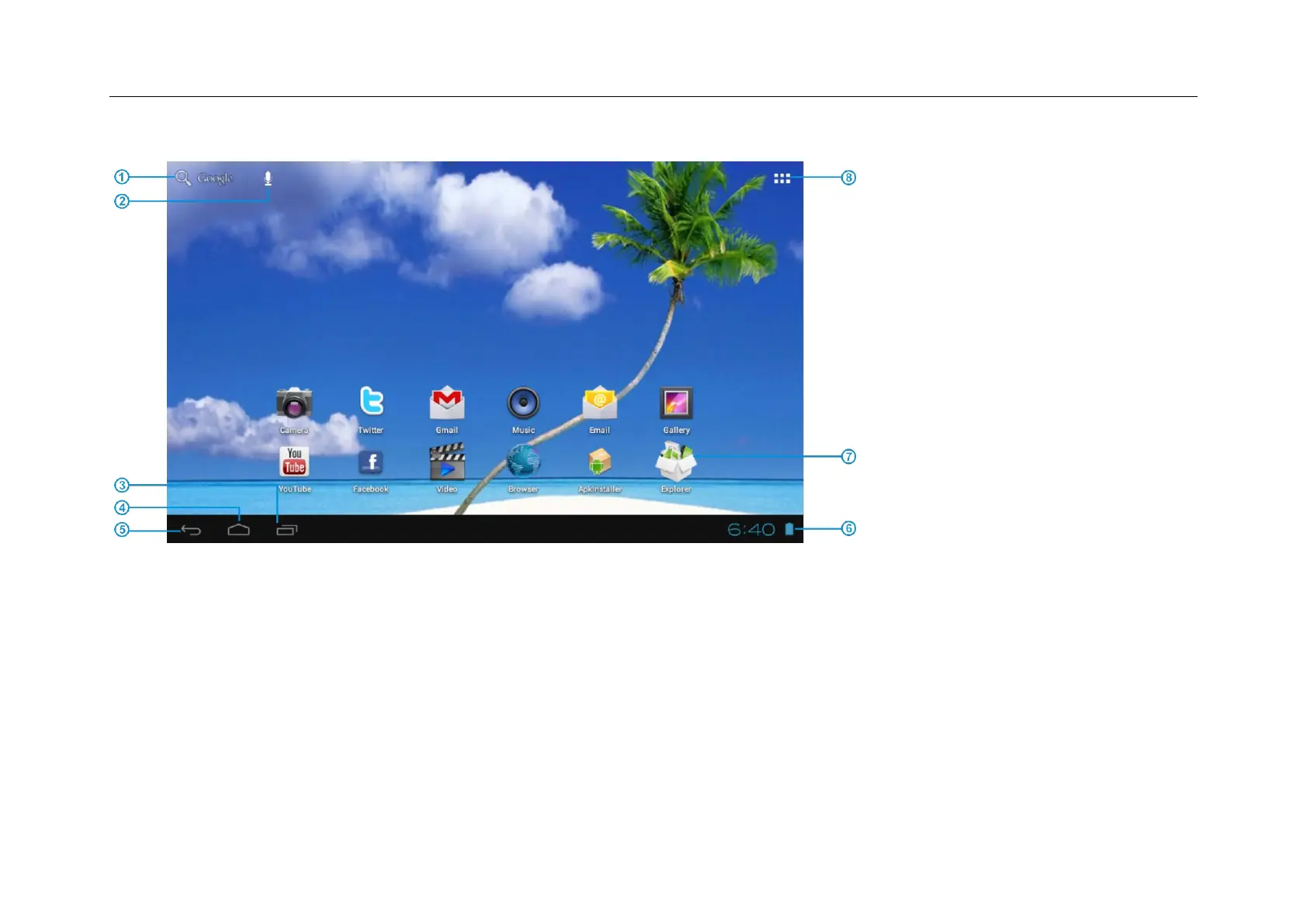
① Google Search
② Click to turn on voice search, it will search according to voice input ( Make sure WIFI is on )
③ List of last running applications
④ Back to Home screen
⑤ Back to previous screen
⑥ Display of icons and device status, click to turn on notification screen
⑦ Shortcut to application
⑧ Enter applications page


 To Next Page