EasyManua.ls Logo

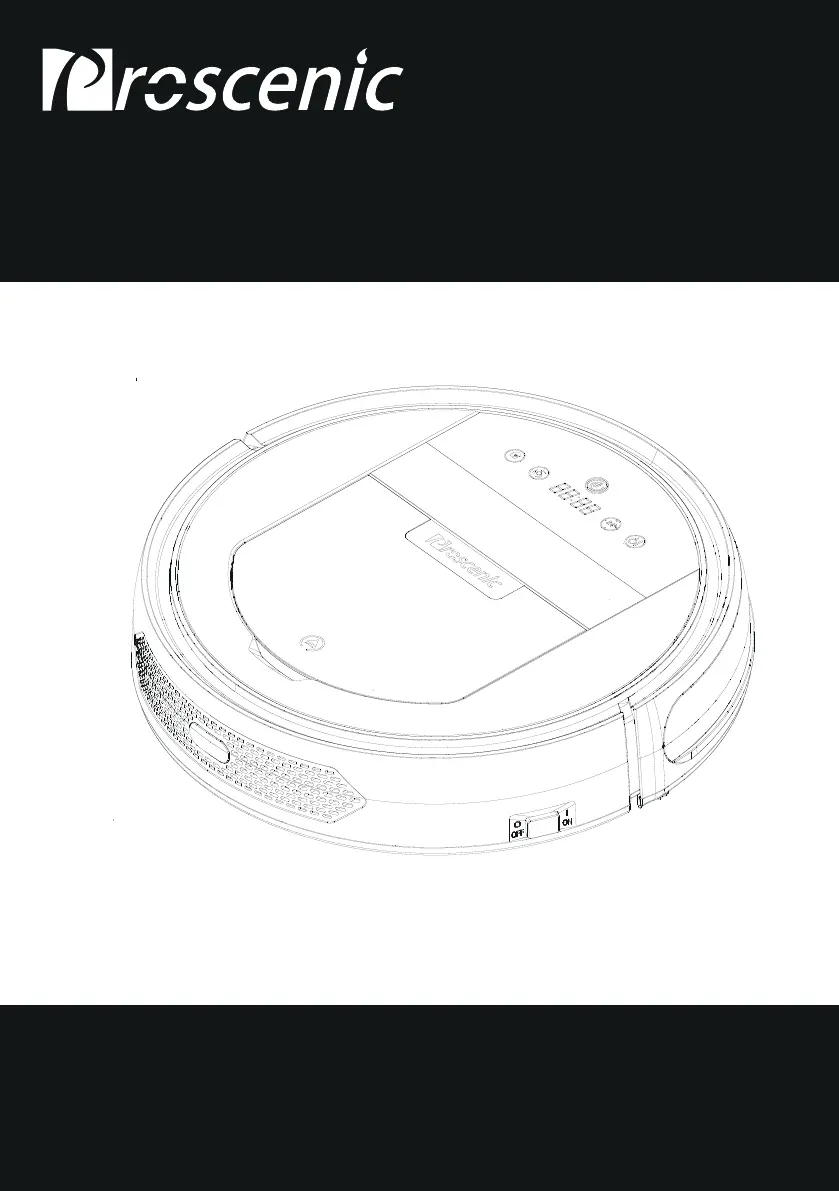
Proscenic 790T - User Manual

Proscenic 790T
27 pages
Print Icon
To Next Page IconTo Next Page
Loading...
Please keep this user manual in your sight, read it thoroughly and carefully
before using this product.
User Manual
BL828 APPLICABLE TO 790T

Questions and Answers

  • D
    Dustin BarryAug 21, 2025
    What to do if Proscenic Vacuum Cleaner displays E1 error?
    • A
      Ashley JonesAug 22, 2025
      If your Proscenic Vacuum Cleaner shows an E1 error, it means the dust bin is not correctly located or is missing. Make sure the dust bin is properly installed.
  • W
    Wesley FarrellSep 4, 2025
    What does E32 error mean on Proscenic 790T Vacuum Cleaner?
    • A
      Ashlee LeonSep 4, 2025
      The E32 error on your Proscenic Vacuum Cleaner means the front bumper wall detection sensors and right infrared have detected an obstacle. Remove the detected obstacle from the robot's path.
  • V
    valeriecombsSep 2, 2025
    What does E31 error mean on Proscenic 790T?
    • K
      Krista BarkerSep 2, 2025
      The E31 error on your Proscenic Vacuum Cleaner indicates that the front bumper wall detection sensors and left infrared sensors have detected an obstacle. Remove the obstacle from the robot's path.
  • J
    Jessica BrooksSep 1, 2025
    What does E44 error mean on Proscenic 790T and how can I fix it?
    • D
      delacruzjonathanSep 1, 2025
      The E44 error on your Proscenic Vacuum Cleaner means the right side brush is overloaded. Remove any debris from the right side brush.
  • B
    Brittany WalkerAug 30, 2025
    What does E43 error mean on Proscenic Vacuum Cleaner?
    • D
      Doris ThomasAug 31, 2025
      The E43 error on your Proscenic Vacuum Cleaner indicates that the left side brush is overloaded. Remove any debris from the left side brush.
  • R
    Ronald SmithAug 29, 2025
    What does E45 error mean on Proscenic 790T?
    • M
      Mary BurkeAug 29, 2025
      The E45 error on your Proscenic Vacuum Cleaner means the right wheel is overloaded. Check for obstructions and clear them from the right wheel.
  • A
    Amber HansonAug 27, 2025
    How to fix E42 error on Proscenic Vacuum Cleaner?
    • S
      Stephen MitchellAug 28, 2025
      If your Proscenic Vacuum Cleaner displays an E42 error, it means the right wheel is overloaded. Check the right wheel for any obstructions and remove them.
  • W
    William KelleyAug 27, 2025
    How to fix E41 error on Proscenic 790T?
    • A
      Alexander EnglishAug 27, 2025
      If your Proscenic Vacuum Cleaner displays an E41 error, it means the left wheel is overloaded. Check the left wheel for any obstructions and remove them.
  • J
    Joseph AguirreAug 25, 2025
    What does E46 error mean on Proscenic 790T and how to fix it?
    • L
      Lindsay ColeAug 26, 2025
      The E46 error on your Proscenic Vacuum Cleaner means the roller brush is overloaded. Remove any debris from the roller brush to resolve this.
  • M
    Michelle WilsonAug 23, 2025
    Why Proscenic 790T displays the L0 error?
    • T
      Thomas DayAug 23, 2025
      If your Proscenic Vacuum Cleaner displays the L0 error, it indicates a low battery. Recharge the battery to resolve this issue.

Summary

Safety Instructions

Warning Signs and Symbols

Explains warning symbols like Danger, Caution, Notice, and graphic signs.

Product & Component Safety

Covers warnings for disassembly, battery, power adapter, cords, and cleaning.

Usage & Environment Safety

Addresses safe usage environments, water exposure, and physical hazards.

Operational & Charging Safety

Details usage limitations, charging precautions, and operational restrictions.

Battery Handling & Disposal

Covers battery safety during transport, storage, and disposal.

Product Operation

Battery Charging

Instructions on docking station placement and charging the robot.

Starting Up, Standby, Sleep, Power Off

Guide to powering on, standby, sleep modes, and powering off the robot.

Product Maintenance

Product Maintenance Kit

Product Specifications

Battery Removal and Installation

Step-by-step guide for safely removing and installing the battery.

Troubleshooting

Error Code and Causes

Lists common error codes, their causes, and basic troubleshooting steps.

Proscenic 790T Specifications

General IconGeneral
TypeRobot Vacuum Cleaner
Battery Capacity2600 mAh
Noise Level60 dB
Runtime120 minutes
ControlApp, Remote Control, Voice Control
FeaturesAuto Recharge, Scheduled Cleaning
Filter TypeHEPA
Dimensions32.0 x 32.0 x 7.6 cm
Charging Time5 hours

Related product manuals