9
The unit will remind users to
replace fi lters when needed.
To replace the filter, follow
same steps as User Manual.
Long press the buttons
simultaneously for 5 seconds. The LED will
turn off when you hear a beep sound. When
the reset is completed, the unit will once
again calculate from start
MAINTENANCE AND CLEANING
Please make sure to unplug the device before cleaning. Do not
immerse machine in water or any other liquid substances. Do
not use abrasive, corrosive or fl ammable substances to clean
any parts of the unit.
*Filters can NOT be washed with water.*
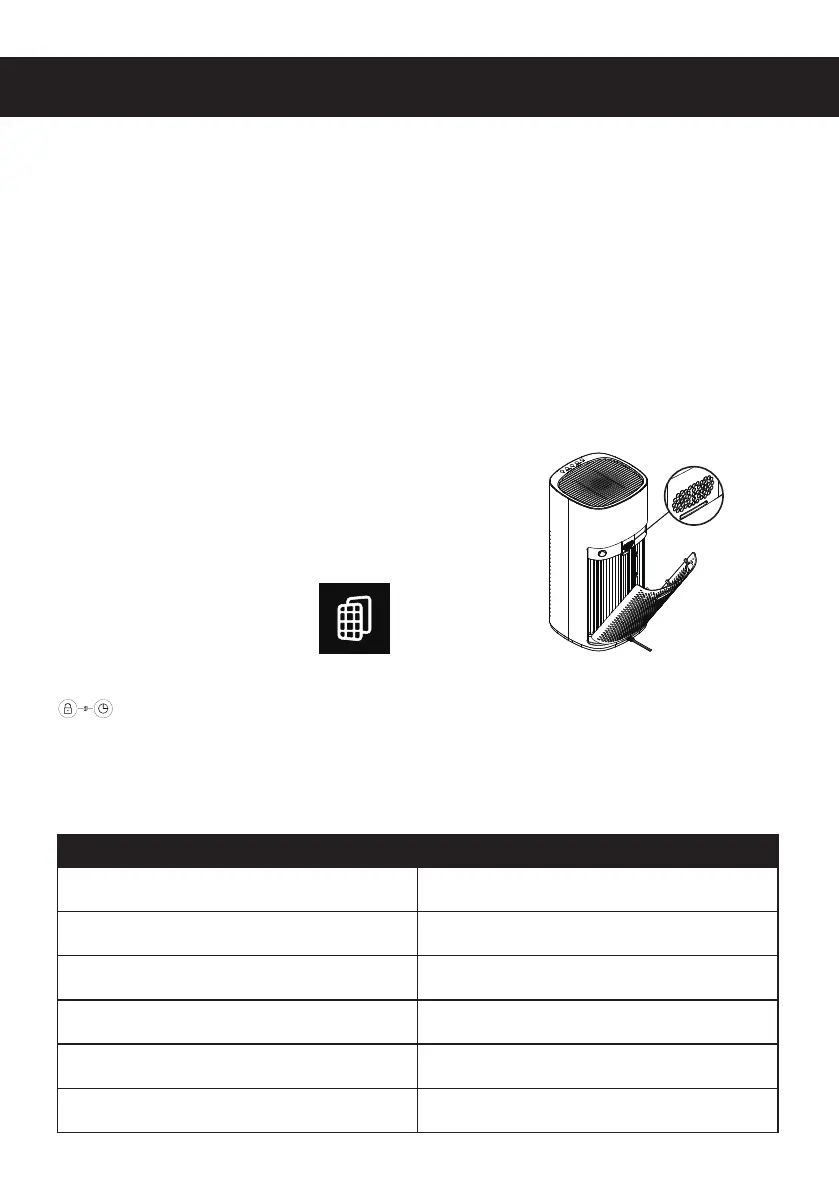
Clean the air purifi er regularly to prevent the
dust accumulation.
1. Use soft and dry cloths to remove the
dust from the air purifi er.
2. Use soft and dry cloth to clean the
outlet and intake of air purifi er.
Clean air quality sensor every two-month to
ensure the best performance.
Clean frequently if machine works in dusty
environment.
1. Use soft brush to clean intake and
outlet of air quality sensor.
2. Disassemble the cover of the air quality
sensor.
3. Use a dry swab to clean the air quality
sensor, air intake and air outlet.
4. Reinstall the cover of the air quality
sensor.
Clean the Air Purifi er
Change Filter
Clean the Air Quality Sensor
Technical Data
Voltage 120V AC 60 Hz
Rated power 50 W
Filter life 3000 hours or 4 month
Applicable area 55 ㎡ (5 times per hour air purifi cation)
Noise level < 55 dB
Dimension 520mm H x 260mm W x 260mm D


 To Next Page