Action Check
Self t relays onlyonly require a software update for Fog Cannon to
become Ajax ready, this software, version 3.11, can be found on the
PROTECT Download Center. IntelliConnector required.
Ajax relays can be after installed in all PROTECT Fog Cannons® using
a complete kit from PROTECT.
7
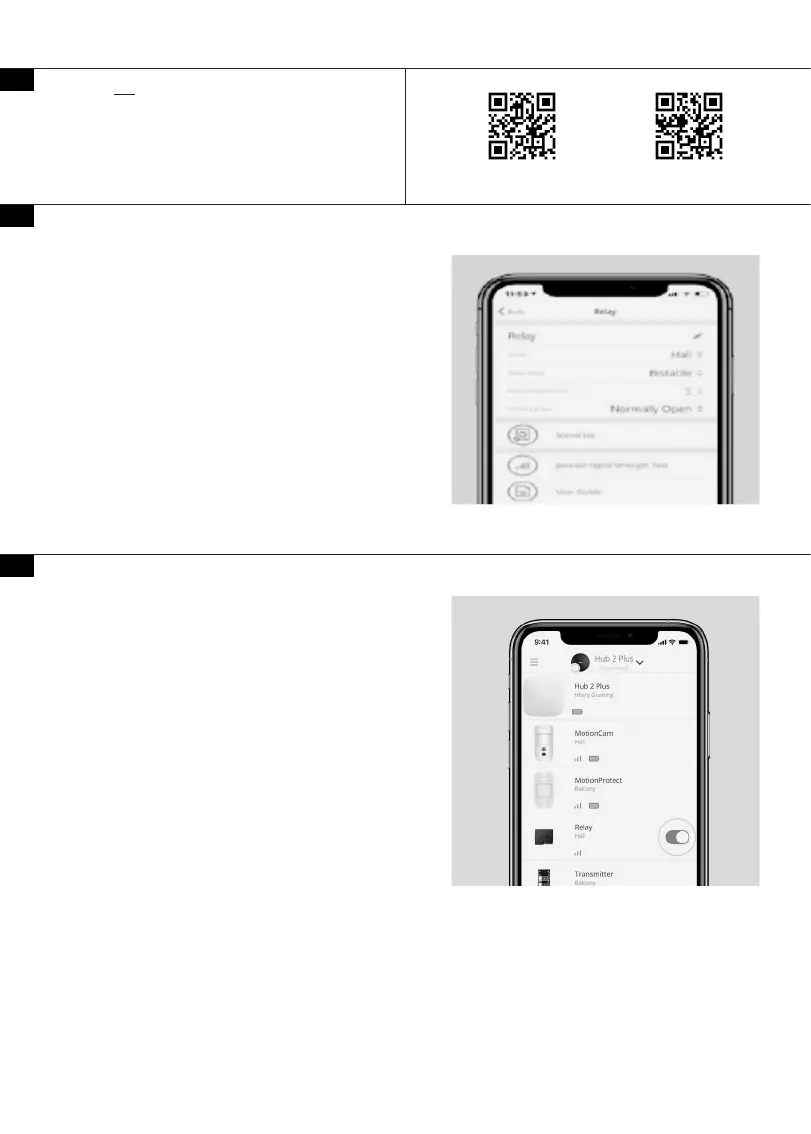
Relay Settings in the Ajax app
1. Open the Devices menu.
2. Select the required Relay and go to its Settings
3. Set the required parameters. They depend on the operating modes of
the fog generator.
You can nd detailed information in the documentation for the device.
• Relay operating mode: pulse or bistable.
• Pulse duration (if pulse mode is selected, the range is 0.5 to 255
seconds).
• Contact state: normally closed or normally opened.
If you use a fog generator that is activated only when the system is
armed, congure the scenario for therequired Relay so that it switches
the generator to the armed mode and back synchronously with the
security system.
If you want the fog generator to be activated when the detectors raise
the alarm or when the panic Button or SpaceControl is pressed, create
a scenario.
The scenarios are created in the relay settings (Ajax App > Devices >
Relay > Settings > Scenarios)
9
8
PROTECT IntelliConnector™ PROTECT Download Center
Controlling a fog cannon in the Ajax app
Press the switch in the relay eld, and the state of the contacts will
change to the opposite. When activated, the generator will start
releasing fog.
Note that generators with multiple control inputs should be switched
previously in the armed mode. Only after that you can activate the fog
emission.
If the fog generator operates in bistable mode: after eliminating the
cause of the alarm, press the switch again so that the system returns to
the original state and is able to respond to the alarm next time.


 To Next Page