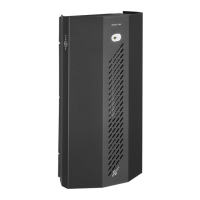
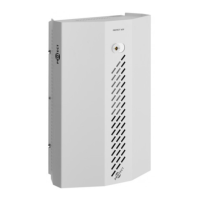
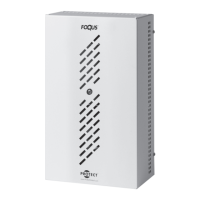
The PROTECT QUMULUS® is a security fog cannon designed to quickly fill a secured area with a dense, disorienting fog, thereby deterring intruders and protecting valuables. This quick guide provides essential information for installation and operation, though it emphasizes that it does not replace the full installation manual or recommended technical training.
Function Description
The QUMULUS® operates by rapidly deploying security fog when triggered by an alarm system. It integrates with existing alarm systems, specifically designed to be "Ajax Ready," allowing for seamless control and feedback through the Ajax app. The device features multiple inputs for various alarm signals (Primary, Secondary, Arm, Fire, Disable) and outputs for feedback (Fog, Fault, Fluid, Smoke). A key safety feature is the ability to avoid accidental firing, although the specific method for this is left to the alarm installer, as it can vary. The unit includes a heating element to prepare the fog fluid for rapid deployment.
Important Technical Specifications
- Power Supply: 230 V ac (also compatible with 115/130 V ac).
- Power Consumption:
- Effect (heating from cold to ready): 1050 W
- Standby (after heating up): 60 W
- DIP Switch Settings: A series of 10 DIP switches control various functions:
- DIP 1 (Heat disable): ON disconnects the heating element if disable is activated.
- DIP 2, 3, 4 (Fog time): These three switches, in combination, determine the fog duration and volume.
- DIP 5 (Arm*): Controls the arming function.
- DIP 6 (Primary*): Controls the primary input.
- DIP 7 (Secondary*): Controls the secondary input.
- DIP 8 (Fire-alarm delay**): Sets a delay for fire alarms.
- DIP 9 (Reserved): Must be left in the OFF position.
- DIP 10 (Error indicator): ON connects the beeper.
- * ON = normal open, OFF = normal closed.
- ** ON = delay is active.
- Fog Time and Volume (based on DIP 2, 3, 4 settings):
- OFF-OFF-OFF: Demo mode
- ON-OFF-OFF: 20 seconds, 140 m³
- OFF-ON-OFF: 40 seconds, 230 m³
- ON-ON-OFF: 60 seconds, 400 m³
- OFF-OFF-ON: 60 seconds + 2 minutes, 600 m³
- ON-OFF-ON: 60 seconds + 4 minutes, 900 m³
- OFF-ON-ON: (No specified volume)
- ON-ON-ON: (No specified volume)
- Safety Distance: Minimum 35 cm from the unit.
- Installation Distance from Objects: Minimum 2.5 meters.
Usage Features
- Quick Warm-up: The unit typically takes 10-45 minutes to warm up to operating temperature.
- Ajax Integration: The QUMULUS® is designed for seamless integration with Ajax systems. This requires a software update (version 3.11 or later) and an IntelliConnector. Ajax relays can be installed to control the fog cannon.
- Ajax App Control:
- Relay Settings: Within the Ajax app, users can configure relay parameters, including operating mode (pulse or bistable) and pulse duration (0.5 to 255 seconds if pulse mode is selected).
- Scenarios: Users can create scenarios to activate the fog generator based on system arming/disarming, detector alarms, or panic button presses.
- Manual Control: The fog cannon can be manually activated or deactivated via a switch in the relay field of the Ajax app.
- Feedback Options:
- MultiTransmitter: Using a PROTECT MultiCard™ expansion card, status and error codes can be provided via Ajax MultiTransmitter.
- IntelliCloud™: With a PROTECT IPCard™ expansion card and an internet connection (RJ45), cloud-based feedback is available via smartphone or PC.
- Wireless Output Relays: Ajax wireless output relays (e.g., door contacts) can also provide feedback.
- Tamper Circuit: The fog cannon includes a normal tamper switch that can be integrated into a standard tamper circuit (may require an additional relay).
- Acoustic Alarm: DIP switch 10 should be set to ON to activate the acoustic alarm in case of a fault.
Maintenance Features
- 5-Year Warranty: The PROTECT QUMULUS® automatically comes with a 5-year warranty. Details are available on Protectglobal.com/service-support/warranty.
- Free Technical E-learning: PROTECT offers free technical e-learning courses on the installation of Fog Cannons™. Enrollment is available at protectglobal.com/e-learning.
- Fluid Level Check: After testing, it is important to check the fluid level, ensuring the fog cannon has a full fluid bag.
- Full Scale Test: Before finalizing installation, a full-scale test is recommended to ensure the alarm system, fog security system, and PIR sensor work together as expected, and that the fog volume adequately covers the secured area.
- Nozzle Adjustment: The nozzle can be adjusted on a cold machine.

 Need help?
 General

 To Next Page