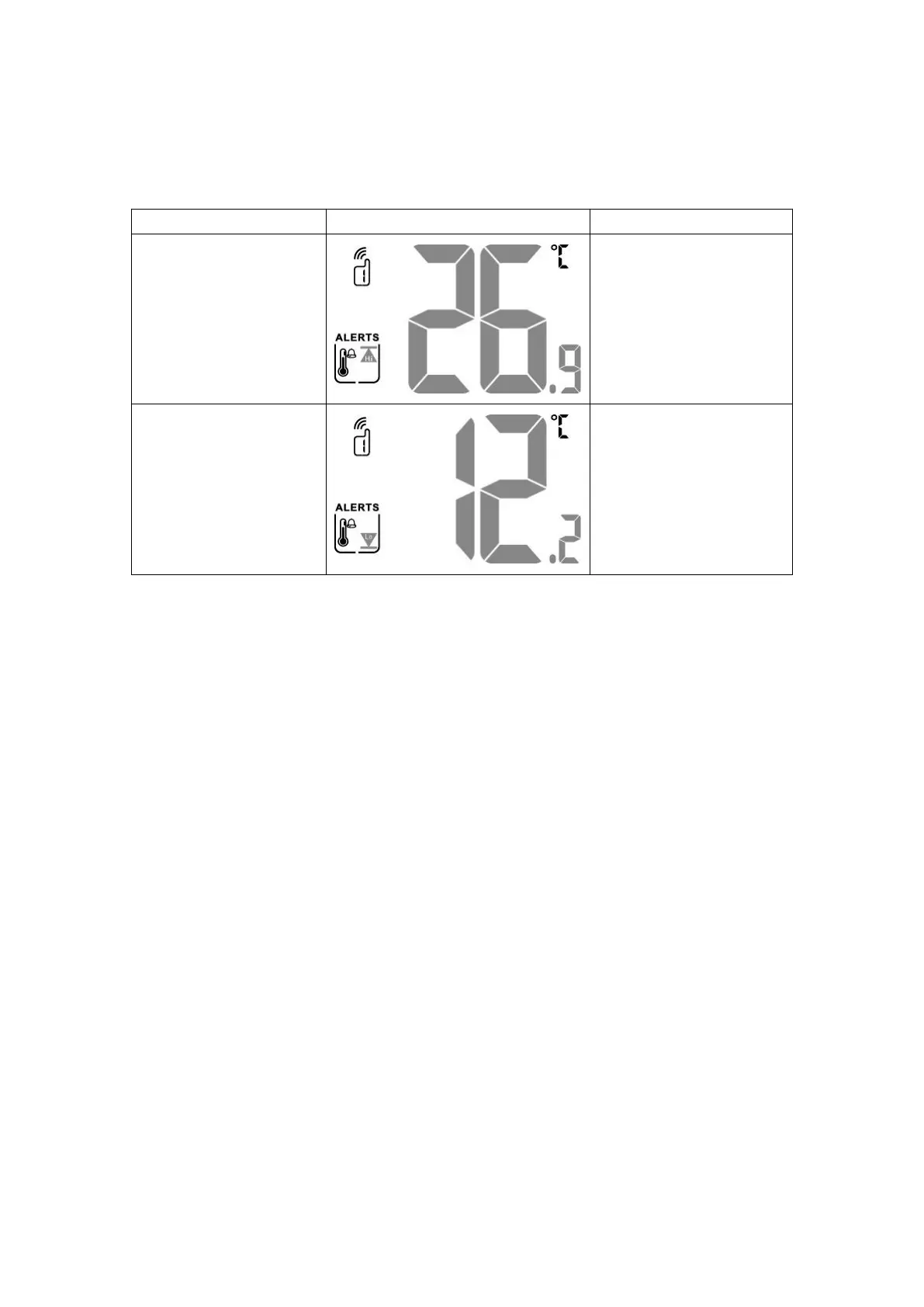
2) Long press the "ALERT" key to enter the temperature alarm setting mode, and
the following specific steps are shown in the below table:
Single press "▲/RF" or "▼
/MEM" to set the upper limit of
temperature alarm; single
press "ALERT" key to confirm
the setting and go to the next
step;
The operation is the same as
the first step. This step sets the
lower limit of the temperature
alarm.
* The light-colored part of the on-screen text in the table indicates that the
character is flashing at that time.
Screen backlight:
1) In the state of power supply, after power on or reset, the LCD backlight will
highlight for 30 seconds and then go off; if want to wake up, just touch the
"SNOOZE / LIGHT" sensing area on the top of the signal receiver;
2) When the alarm clock rings, the LCD backlight will be turned off automatically
after 30 seconds of highlighting;
3) Under the power supply state of the power adapter, the LCD backlight remains
bright;
4) In the power supply state of the power adapter, touch the "SNOOZE / LIGHT"
sensing area on the top of the signal receiver to change the backlight brightness,
and switch between the three states of "strong → weak → off".



 To Next Page