1
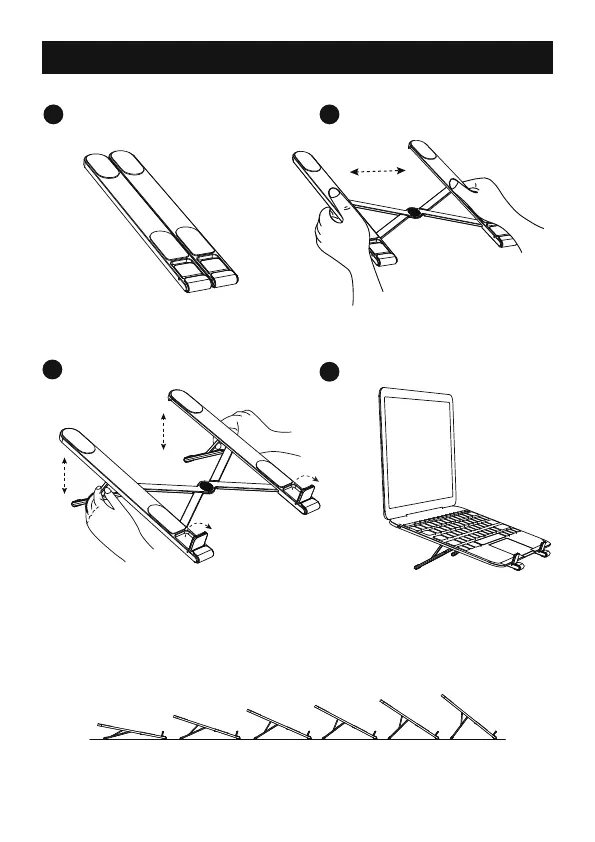
Take out the stand.
3
Pull up the spring-loaded support
feet on both sides, adjust to a
comfortable angle, and lock in
place.
Pull up the anti slip small baffle.
4
Place your laptop on
the stand.
2
Extend the stand into required width.
Laptop Stand User Guide
- 8 -
(Note: 6 adjustable angles, from 10° to 40°)



 To Next Page