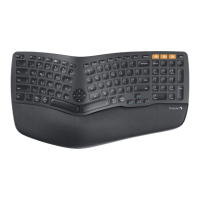
EK01
Frequently Asked Questions
The keys bounce back slowly.
This kind of problem should be caused by a foreign body stuck in the key pa.
Please turn the keyboard over and tap it a few times to t to remove the
foreign body.
06
Some function keys do not work.
Before using the function keys, please press FN+ESC keys to turn on the FN
function.
07
Is there a light that turns on when caps are locked?
About the EK01 keyboard, there is a Caps Lock indicator on the Caps Lock
key, the light turns on when caps are locked.
10
How to use the function keys?
About the function keys, please refer to "Multimedia Function Button" pa in
the User Manual.
Before using the function keys, please press the FN+ESC keys to turn on the
FN function.
And then you can press the F1-F12 keys to get the relevant functions,
please have a t rst.
08
Does this keyboard has the key combination for Inse,
PrintScreen?
We are sor to tell that the EK01 keyboard does not have Inse and
PrintScreen combination key.
-If your computer is Windows system, you can press the NumLK key to turn
o the numbers keys and then press the "0/Inse" key , then the
function is Inse.
-The key which like a camera is the screenshot key, please press FN+ESC keys
to turn on the FN function and then you can use this screenshot key.
09
04
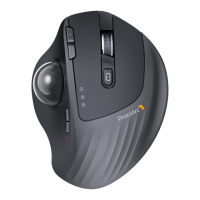
Can I use this mouse with a Mac that DOES NOT have a USB po?
10
the mouse suppos Linux?
Yes, this mouse suppos Linux system.
04
Can I use this mouse with a Mac that DOES NOT have a USB po?
You can connect this mouse with your Mac by Bluetooth connection way.
05
Is it normal for the space bar to be louder than other keys?
It's normal that the space bar is louder than other keys as it's the biggest key.
If you think the keystrokes are abnormally loud, please send us a video to
show the problem.


 To Next Page