3
4
5
6
Devices
Bluetooth, printers, mouse
Bluetooth
Bluetooth
on
ProtoArc XK03
Ready to pair
Pair
ProtoArc XK03
Connected
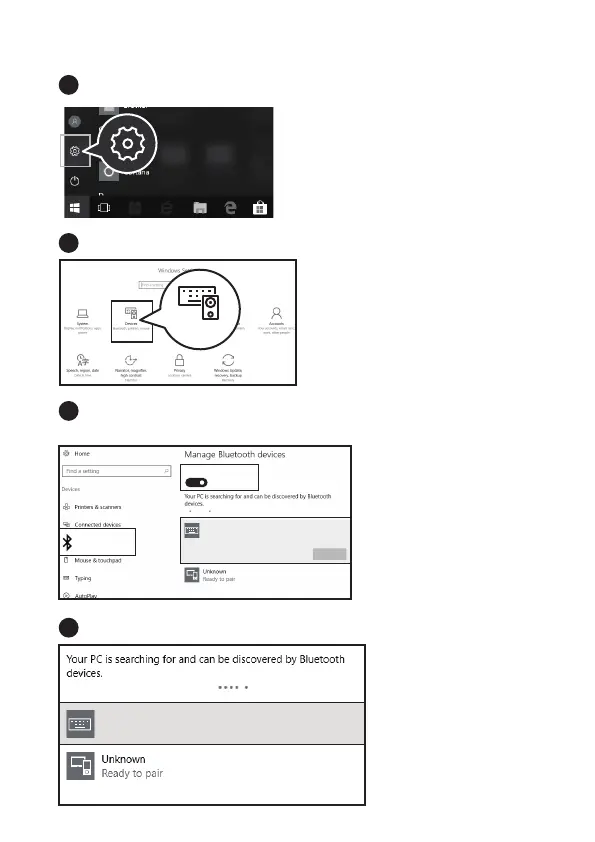
Windows 10 System
Click “Bluetooth Devices”.
Click “Add or Remove Bluetooth Devices”.
Your computer will automatically search for “ProtoArc XK03” and then
click “pair”.
“ProtoArc XK03” is connected and it can be used normally.



 To Next Page