"forter" mouse
ProtoArc XK03
Pair
"forter" mouse
ProtoArc XK03
Connected
3
4
5
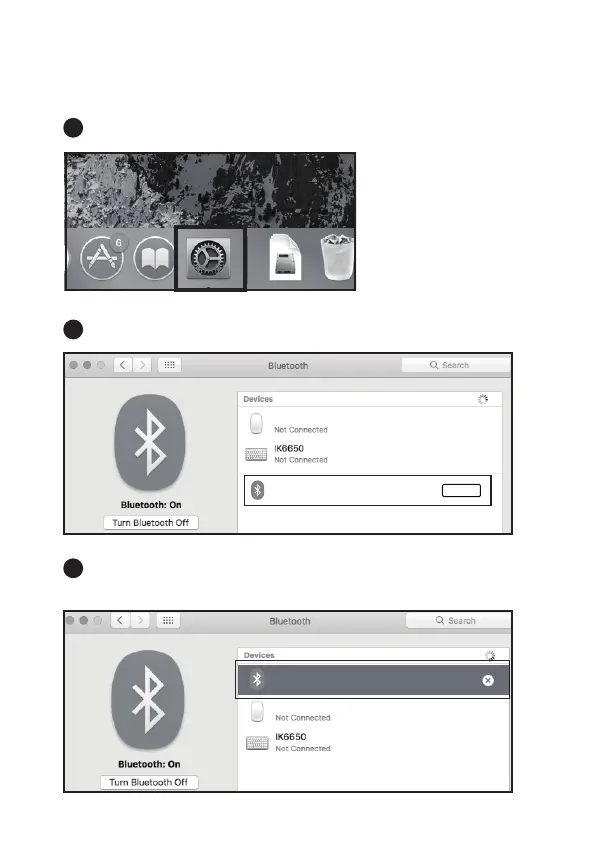
Mac OS System
Click “System Preferences” on Mac.
Click “Bluetooth” in “System Preferences”.
Your device will automatically find “ProtoArc XK03”, then click “pair”,
when it shows connected, the keyboard is ready to use.
Please complete the Bluetooth connection step ①② before pairing.



 To Next Page