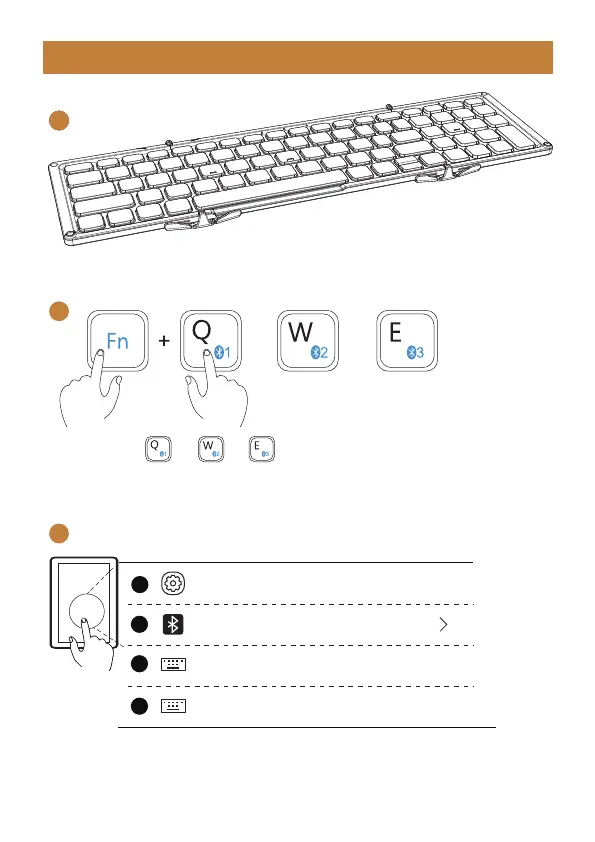
Keyboard Bluetooth Connection
1
2
3
1. Unfold the Keyboard.
4. Turn on the Bluetooth settings on your device, search or select “XKM01 Mini”
and start Bluetooth pairing until the connection is completed.
2. Press “FN + or or , and the corresponding bluetooth indicator
will flash quickly. Then long press for 3-5s, when the blue indicator light flashing
quickly, it enters Bluetooth pairing mode.
Bluetooth
Settings
XKM01 Mini
XKM01 Mini
Connected
On
1
2
3
4
- 5 -
or or



 To Next Page