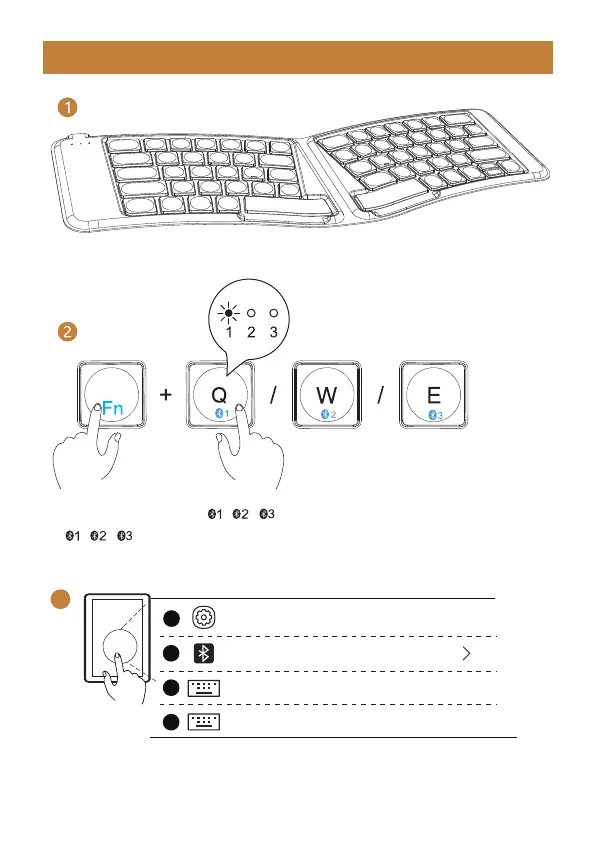
2. Shortly press “Fn” + “ / / ” to choose the channel; Long press “Fn” +
“ / / ”, the white indicator flash quickly, and the keyboard enters into
pairing mode.
1. Unfold the keyboard.
Keyboard Bluetooth Connection
- 3 -
3
3. Turn on the Bluetooth settings on your device, search or select "ProtoArc
XKM03" and start Bluetooth pairing until the connection is completed.
Bluetooth
Settings
ProtoArc XKM03
ProtoArc XKM03
Connected
On
1
2
3
4



 To Next Page