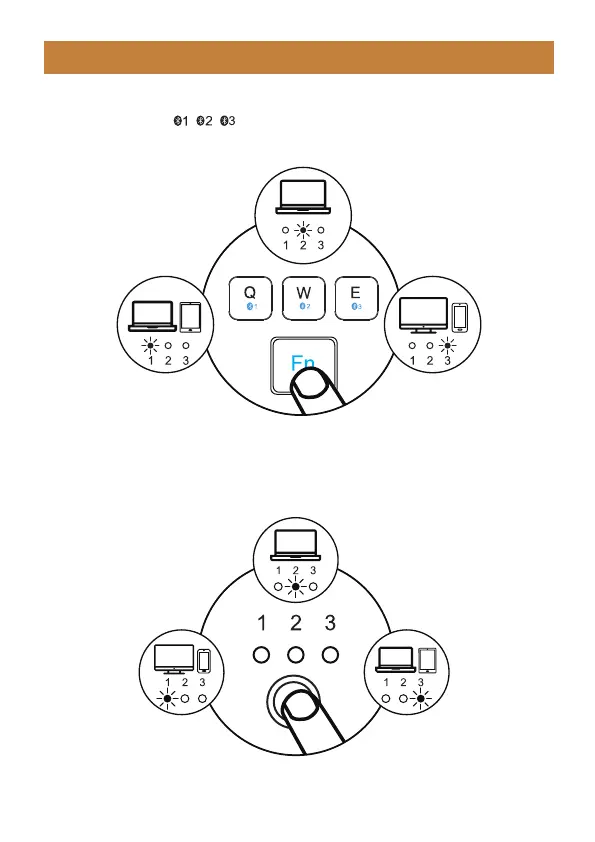
After getting connected to three devices, you can easily switch the connection
by pressing “Fn” + “ / / ”.
BT1 Device Connection BT3 Device Connection
BT2 Device Connection
How to Switch Between Three Devices
- 5 -
After BT1, BT2 and BT3 channel is connected, press the channel switch button
on the bottom of the mouse to switch between multiple devices.
BT1 Device Connection
BT2 Device Connection
BT3 Device Connection



 To Next Page