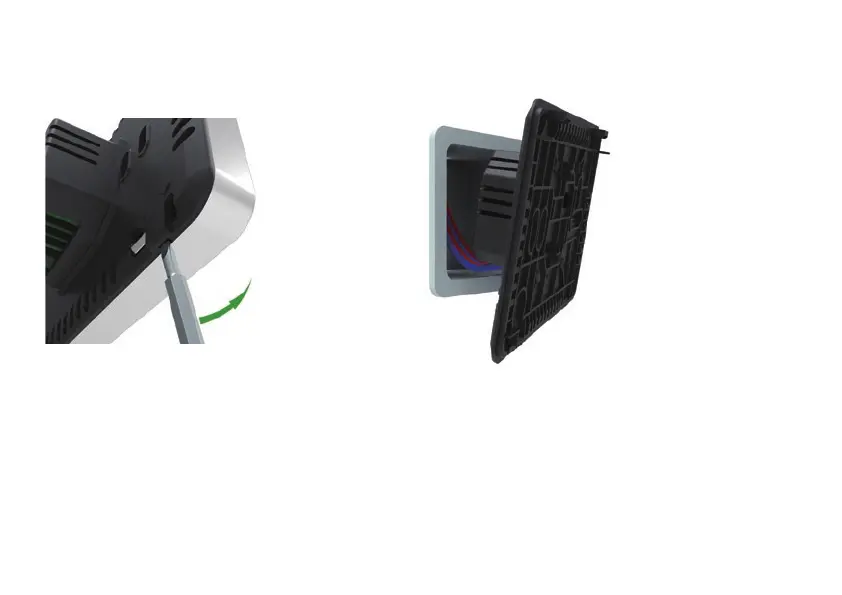
Step 1
Separate the panel from the back section: insert a
screwdriver into the two holes under the
thermostat and pry it in the same direction as the
arrow in the picture. It will click and separate
from the back plate.
Step 2
Connect the wires as shown in the wiring
instruction.
NOTE: Thermostat should be mounted in a 35mm deep single gang back box
INSTALLATION AND WIRING INSTRUCTIONS


 To Next Page